Power Bank Not Charging Devices Anymore — Output Failure or Battery Wear?
Quick Answer
Most of the time, a power bank that “used to work” but won’t charge devices anymore is suffering from capacity fade: the internal battery has worn out and can no longer store enough usable energy to maintain a stable output.
This usually means it may still show LEDs, accept a charge, or briefly start charging your phone, but it quickly drops out or delivers too little power. For many everyday power banks, noticeable fade can happen after 1.5–3 years of regular use, sooner if it’s often stored hot, fully depleted, or constantly kept at 100%.
If you need a fast fix
- Try a different cable and port: Use a known-good cable and a different output (USB-A vs USB-C) because a bad cable or a worn port can mimic a “dead” power bank.
- Recharge it with the correct charger: Plug the power bank into a wall charger (not a laptop port) for 30–60 minutes, then retry charging a device; weak input can leave it “half charged” in real terms.
- Reset the output: Unplug everything, then press and hold the power button for 10–15 seconds (or double-press if your model uses it) to wake/enable the output circuit.
Quick Diagnosis Table
| Symptom | Most likely cause |
|---|---|
| LEDs show “full,” but phone charge stops after a few minutes | Capacity fade: voltage sags under load so the power bank shuts the output off |
| Power bank charges slowly or never reaches 100% | Battery aging and higher internal resistance, or an underpowered/incorrect input charger |
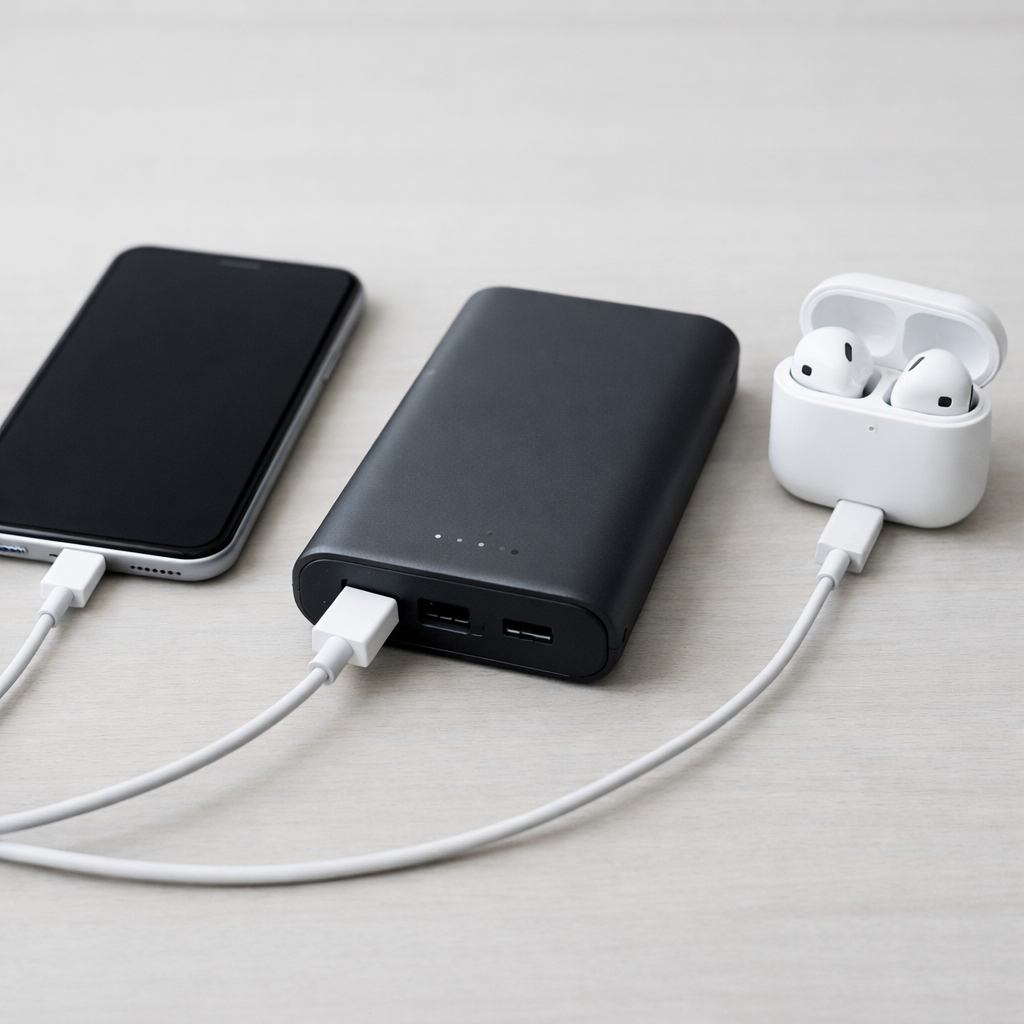
| It works with small devices (earbuds) but not a phone/tablet | Worn battery can’t deliver higher current; output protection triggers |
| Output works only when you hold the cable or wiggle it | Worn/dirty port or damaged cable causing intermittent connection |
Why This Happens
Inside a power bank are lithium-ion cells plus a control board that boosts battery voltage and protects against overload. As the cells age, they lose capacity and their internal resistance increases, which makes the voltage drop sharply when you try to charge a phone.
In real life, this looks like a power bank that “has lights” but can’t do the job. A phone may start charging, then stop, or it may bounce between charging and not charging. This is common after lots of partial charge cycles, frequent high-heat situations (car glovebox, sunny backpack), or repeatedly draining the pack to near-zero.
When the battery can’t hold voltage under load, the power bank’s protection circuit often turns the output off to prevent instability, so the symptom feels like “output failure” even though the root cause is usually battery wear.
Most Common Causes (Ranked)
- 1) Battery capacity fade: The cells can no longer store enough usable energy, so the power bank may show “full” but quickly runs out or shuts off during charging.
- 2) Higher internal resistance (age-related): Even if some capacity remains, voltage drops when a phone draws power, triggering protection and stopping the charge.
- 3) Cable/connector problems: A high-resistance or damaged cable (especially cheap USB-C) can prevent stable charging and may cause repeated start/stop behavior.
- 4) Worn or dirty output port: Loose USB-A tongues, pocket lint in USB-C, or oxidation can reduce contact and make charging unreliable.
- 5) Output mode mismatch: Some models require a button press to enable output, have a low-power mode for earbuds, or disable fast-charge on certain ports.
- 6) Charging input issue: If the power bank itself isn’t getting properly charged (weak adapter, bad input cable, damaged input port), it may never reach a usable state.
If performance improves after trying a better cable/charger or cleaning the port, that usually indicates a connection or input problem rather than a fully worn-out battery.
How to Check the Problem Safely
- Check 1: Test with a known-good cable and a different device (try a phone and a small device like earbuds) to see if the issue is “high draw only.”
- Check 2: Try every output port on the power bank, one at a time, and avoid using multiple outputs during testing.
- Check 3: Recharge the power bank using a wall charger you trust (ideally 5V/2A or the rating the bank expects) and a different input cable, then retest.
- Check 4: Inspect and gently clean ports: turn the power bank off/unplug it, then remove lint from USB-C with a dry wooden toothpick; for USB-A, blow out dust carefully.
- Check 5: If you have a USB power meter, place it between the power bank and your cable to see whether current starts then collapses (a common sign of worn cells shutting down).
Safety note: if the power bank is swelling, leaking, very hot, or smells sweet/chemical, stop using it immediately and do not attempt further testing.
How to Fix It
- Fix 1 (easiest): Replace the cable with a certified, short cable and retest; this reduces voltage drop and fixes many “sudden failure” cases.
- Fix 2: Fully recharge from a wall adapter that matches the bank’s input needs; a solid input charge can restore normal behavior if it was simply undercharged or stuck in a low state.
- Fix 3: Clean the ports and confirm a firm fit; better contact lowers resistance and can stop the charge from cutting out.
- Fix 4: Disable extra load and features during testing (don’t charge two devices at once, turn off built-in flashlight, avoid pass-through charging); this reduces stress on an aging battery and may keep output stable.
- Fix 5 (advanced/last resort): If your model supports it, perform a manufacturer reset procedure (button combo or timed hold listed in the manual); this can clear a latched protection state, but it won’t reverse battery wear.
Signs of Battery or Hardware Damage
- Noticeable swelling, bulging case, or the pack no longer sits flat on a table.
- Power bank becomes hot during charging or discharging beyond “warm to the touch,” especially near ports.
- Crackling, hissing, or a sweet/solvent-like odor.
- LED indicator behaves erratically (jumps from full to empty, or shuts off abruptly at high “percentage”).
- Charging cuts out immediately at any load, even with multiple cables and devices.
- Ports are loose, wobbly, burned, or discolored, or the plug feels unusually tight/rough.
- The power bank can’t be charged at all (no input response) or only charges when the connector is held at an angle.
When Repair Is No Longer Worth It
Most consumer power banks are not designed for safe battery replacement, and opening them can create a fire risk, especially if cells are glued or tightly packed. If the problem points to capacity fade (quick dropouts, poor runtime, voltage sag), replacement is usually the safest and most practical option.
As a rule, if the bank is older, out of warranty, or shows any swelling/overheating, don’t invest time or money into repair. If a reputable brand unit is still under warranty and the ports are physically intact, contacting support can be worthwhile since some failures are a faulty board rather than the cells.
How to Prevent This Problem in the Future
- Avoid storing a power bank at 100% for long periods; for storage longer than a few weeks, leave it around 40–70% if your model allows.
- Keep it cool: don’t leave it in a hot car, direct sun, or on warm electronics while charging.
- Try not to drain it to zero regularly; recharge when it gets low to reduce stress and slow capacity fade.
- Use quality cables and chargers; unstable input or poor cables increase heat and can accelerate wear.
- Don’t rely on pass-through charging (charging the bank while it charges a phone) unless the manufacturer explicitly supports it.
- Every 2–3 months, do a gentle “health check” cycle (charge fully, then use normally) to spot declining runtime early.
- Buy capacity from reputable brands; exaggerated mAh claims often mean lower-quality cells that fade faster.
FAQ
Why does my power bank say it’s full but it won’t charge my phone?
The indicator lights often measure battery voltage, not true remaining energy. With capacity fade, voltage can look normal at rest, but it drops quickly when the phone starts drawing power. The power bank then shuts off output to protect itself, so it appears “full but dead.”
Can I “revive” a worn-out power bank by fully draining and recharging it?
A full drain/recharge can sometimes recalibrate the indicator on certain models, but it cannot restore lost capacity in lithium batteries. If the cells have aged, the usable runtime and peak output will still be limited. If draining causes the bank to overheat or behave erratically, stop and replace it.
How long should a power bank last before it stops charging devices properly?
Many power banks deliver good performance for a couple of years with regular use, but heavy daily cycling and heat can shorten that. A common pattern is that it still “works,” yet it can’t handle phone charging because output stability depends on battery health. Treat sudden big changes (rapid cutouts, heat, swelling) as a sign to retire it.
If you’re dealing with repeated battery issues, Mark Reynolds recommends focusing on simple checks before assuming hardware failure. You can find a broader breakdown in the battery troubleshooting guide.
For a full overview of this issue and step-by-step solutions, read the complete troubleshooting guide.