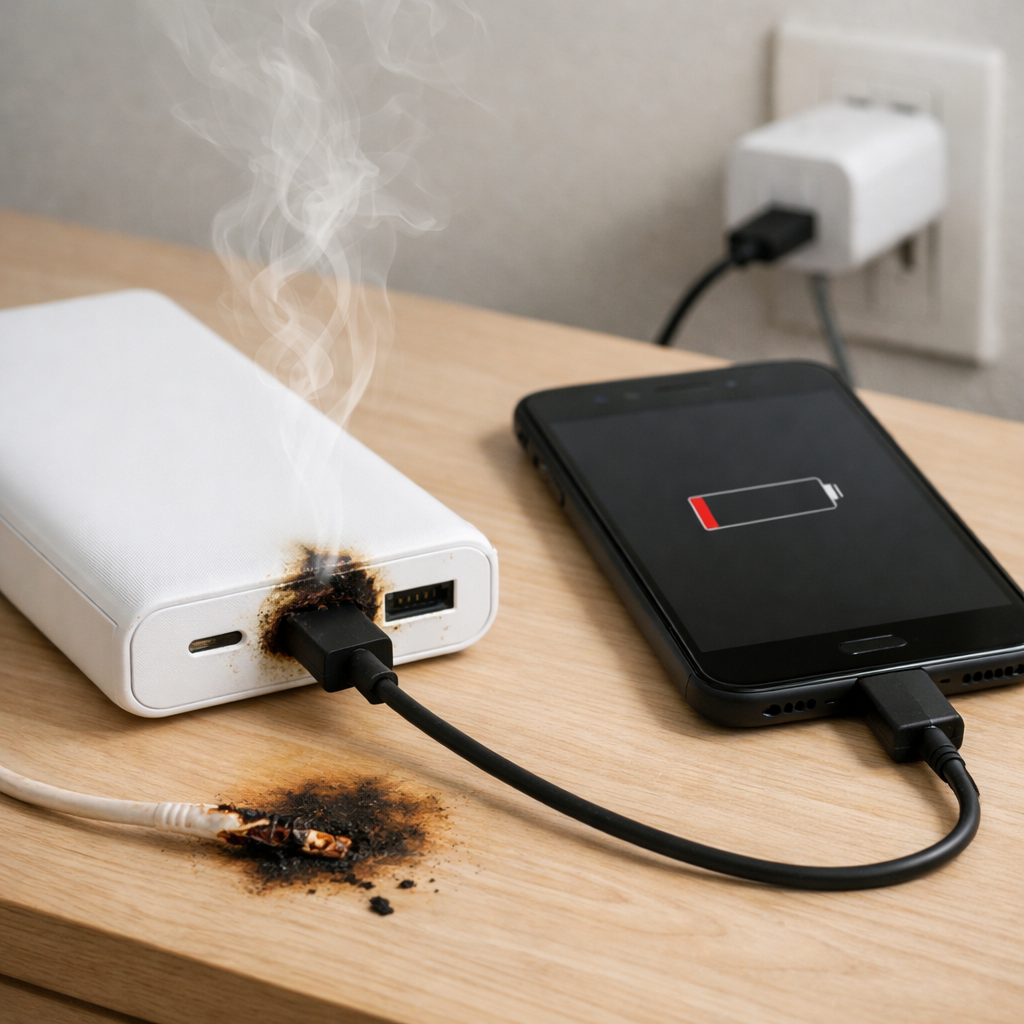
Power Bank Charging Issues Overnight — Safety Shutdown or Charging Failure?
Quick Answer
The most common reason a power bank “charges overnight” but wakes up with much less power than expected is internal battery aging. As lithium cells degrade, they lose usable capacity and can self-discharge faster, so the power bank may show 100% at bedtime but deliver far fewer real watt-hours by morning.
This usually means the cells can’t hold energy like they used to, not that you did anything wrong. A mild drop over weeks or months can be normal, but a sudden big overnight loss (especially after a year or two of use) often points to chemical wear inside the battery.
If you need a fast fix
- Move the power bank to a cool, open surface and let it fully recharge once using a known-good wall charger and cable (avoid charging under pillows or on a bed).
- After it reaches full, unplug it and test it immediately with one device to confirm it can still output power reliably.
- If it drains rapidly, gets hot, or the LEDs jump around, stop using it and plan to replace it to avoid safety risks.
Quick Diagnosis Table
| Symptom | Most likely cause |
|---|---|
| Shows 100% at night, but is low by morning without being used | Internal chemical aging causing higher self-discharge and reduced true capacity |
| Charges “forever” or never reaches full | Weak cells triggering protective limits, or underpowered charger/cable |
| Stops charging partway, then restarts later | Protection circuit reacting to heat or voltage instability from aging cells |
| LED gauge looks normal, but phone only gains a small percentage | Reduced usable capacity and conversion losses becoming more noticeable as the pack ages |
| Gets noticeably warm while idle or overnight | Abnormal internal resistance or fault; can be a sign of cell damage |
Why This Happens
Inside a power bank are lithium-ion or lithium-polymer cells plus a charging and protection circuit. Over time, the battery chemistry changes: capacity shrinks, internal resistance rises, and the pack can lose energy faster even when nothing is plugged in.
In real life this looks like “it charged fine, but it didn’t last.” For example, an older power bank might still reach a “full” indication quickly, yet it can’t deliver the same amount of energy to your phone because the battery voltage drops sooner under load.
As degradation worsens, the protection circuit may also shut down charging or output to prevent unsafe voltage or overheating, which can feel like a charging failure even though it’s actually a safety response to tired cells.
Most Common Causes (Ranked)
- 1) Reduced cell capacity from age and cycles: After many charge/discharge cycles (and months of sitting at high charge), lithium cells hold less energy, so “overnight” charging doesn’t translate into all-day runtime.
- 2) Increased self-discharge from internal chemical degradation: Worn cells can leak energy internally faster, so a full indicator at bedtime may drop by morning even with no use.
- 3) Heat exposure accelerating wear: Repeated charging in warm places (sunny car, bed, near a heater) speeds up chemical aging and increases overnight loss.
- 4) Inaccurate fuel gauge calibration: Some power banks estimate charge based on voltage; as cells age, the estimate becomes less reliable and the LEDs can be misleading.
- 5) Underpowered charger or poor cable causing incomplete charge: If the input power is too low or unstable, the bank may never truly top off, even if it looks “done.”
- 6) Protection circuit cutting off due to voltage sag: Aging cells can dip in voltage under load, prompting a safety cutoff that appears like the bank “died suddenly.”
If the behavior improves after a couple of full, cool charges and the bank delivers steadier runtime, that usually indicates a gauge or charging setup issue rather than rapid cell failure.
How to Check the Problem Safely
- Check 1: Inspect ports and case. Look for swelling, gaps, cracks, or a wobbly USB port that could cause intermittent charging.
- Check 2: Try a known-good wall charger (ideally 5V/2A or higher if supported) and a different cable. Charge for 3–5 hours or until the indicator shows full.
- Check 3: After it reaches full, unplug it and note the indicator. Re-check after 8–10 hours with nothing connected to see if it loses multiple bars/percent.
- Check 4: Do a controlled output test. Charge it to full, then charge the same phone from 20% to 80% and note how many power bank bars drop and whether output is stable.
- Check 5: Check temperature by touch during charging and when idle. Warm is normal; hot or progressively warming while doing nothing is not.
Safety note: if you notice swelling, strong odor, crackling sounds, smoke, or excessive heat, stop testing immediately and move it to a non-flammable area.
How to Fix It
- Fix 1 (easiest): Replace the charger and cable with higher-quality ones. Stable input power helps the bank actually reach full charge and reduces stop-start charging.
- Fix 2: Charge in a cool, ventilated spot and avoid covering it. Lower temperature reduces protective shutdowns and slows further chemical aging.
- Fix 3: Re-calibrate the indicator by doing one full cycle: charge to full, then use it to charge a device until the bank shuts off, then recharge to full without interruptions. This can improve the accuracy of the gauge on some models.
- Fix 4: Reduce strain by using moderate output modes when possible (avoid high-watt fast charging if the bank supports multiple outputs). Lower load reduces voltage sag that can trigger safety cutoffs in older cells.
- Fix 5 (advanced/last resort): If it’s a reputable brand with support, check for a firmware/app reset option or a warranty replacement. Do not open the power bank; internal repair involves lithium cells and can be dangerous without proper equipment.
Signs of Battery or Hardware Damage
- Swollen case, bulging seams, or the power bank no longer sits flat
- Strong sweet/solvent-like smell or any hissing sounds
- Gets hot while charging, discharging, or even while idle
- Charge level jumps suddenly (for example, 4 bars to 1 bar in minutes)
- Output cuts out repeatedly even with different cables and devices
- Visible corrosion, discoloration, or melting around ports
- Needs frequent “button presses” to wake or refuses to start charging devices reliably
When Repair Is No Longer Worth It
Most consumer power banks are not designed for safe, economical repair because the cells are sealed and the protection circuitry is tuned to the original pack. If the root issue is cell degradation or swelling, replacement is the safer option.
As a rule, if the bank has significant overnight loss, unpredictable shutoffs, or heat issues, the value of troubleshooting ends quickly. Replacing it with a modern unit with the right capacity and safety certifications typically costs less than the time and risk of chasing a failing battery.
How to Prevent This Problem in the Future
- Avoid storing the power bank at 100% for long periods; for storage, aim around 40–60% and top up every couple of months.
- Keep it cool: don’t leave it in a hot car, direct sun, or on fabric that traps heat during charging.
- Use quality chargers and cables that can provide steady current; unstable charging increases heat and stress.
- Don’t routinely drain it to 0%; partial cycles are generally easier on lithium cells than frequent deep discharges.
- If you won’t use it overnight, unplug once it’s full; trickle behavior and heat can accelerate wear on some models.
- Choose reputable brands with proper protection features and clear input/output ratings that match your devices.
- Perform an occasional controlled full cycle (every few months) to keep the indicator more accurate, if the manufacturer recommends it.
FAQ
Why does my power bank say 100% but then drops quickly?
The percentage/bars are an estimate that becomes less accurate as the cells age. When internal resistance rises, the voltage can drop faster under load, making the gauge fall suddenly. It can also indicate real capacity loss, meaning “100%” simply contains less energy than it used to.
Is it normal for a power bank to lose charge overnight while nothing is plugged in?
A small loss can be normal because the internal electronics use a tiny amount of power and batteries self-discharge slowly. Losing multiple bars or a large percentage overnight is not typical and often points to degraded cells or a faulty circuit. If it’s also warm while idle, treat it as a safety concern.
Can a power bank shut off charging overnight because of safety protection?
Yes. If the bank detects overheating, unstable input power, or abnormal battery voltage behavior, it may pause or stop charging to protect the cells. That said, frequent safety shutoffs often happen because the cells have aged and no longer behave normally during charging.
If the issue keeps coming back, it’s usually worth looking at broader battery behavior rather than a single fix. That’s the approach Mark Reynolds follows in the complete battery guide.
For a full overview of this issue and step-by-step solutions, read the complete troubleshooting guide.