Charging Cable Overheating Problem — Internal Resistance or Wire Damage?
Quick Answer
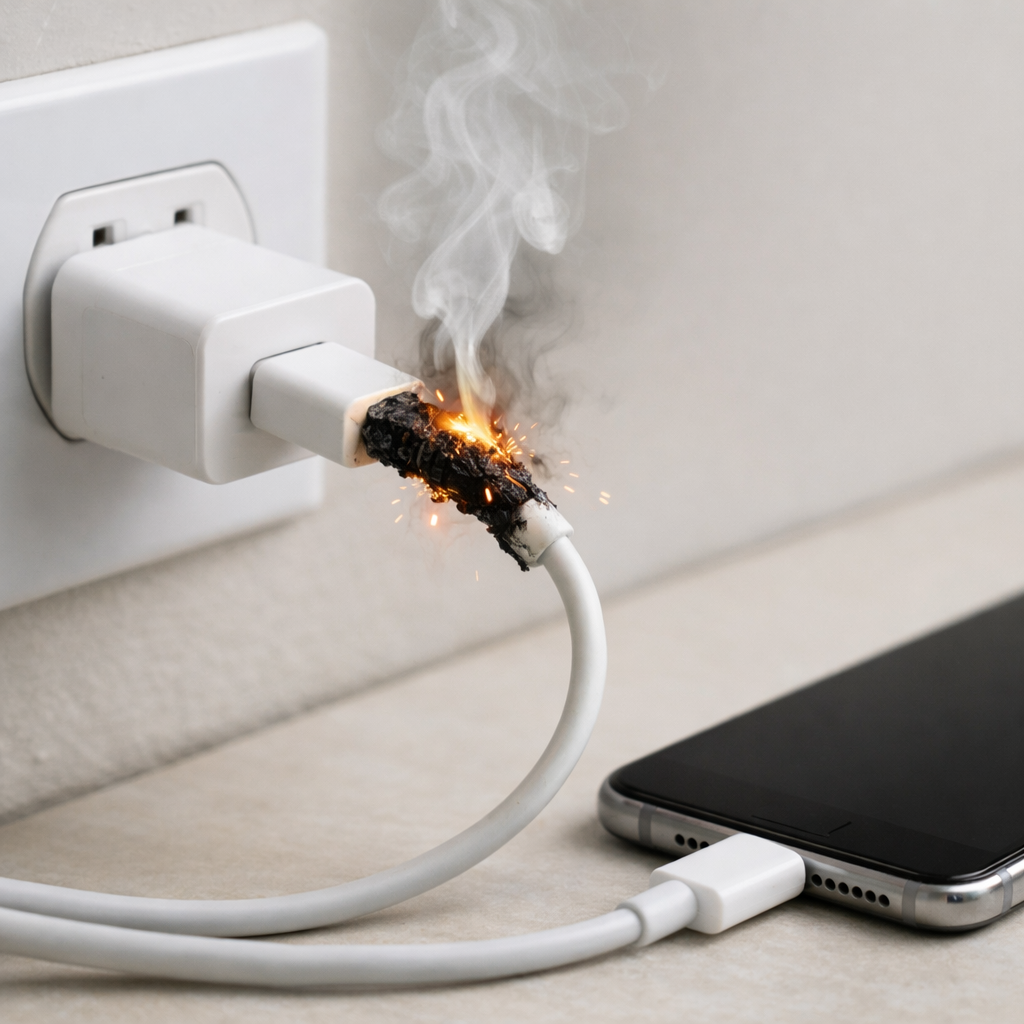
A charging cable that gets hot is most often suffering from internal conductor damage that raises the cable’s electrical resistance. When resistance goes up, more charging power turns into heat inside the cable instead of reaching your phone or laptop efficiently.
This usually means the wire strands inside are partially broken or worn where the cable bends most, often near the connector ends. It can happen gradually over weeks or months, then suddenly becomes obvious when fast charging pushes higher current through the damaged section.
If you need a fast fix
- Unplug it now and let the cable and device cool for 10–15 minutes before trying anything else.
- Switch to a different cable and (if possible) a different charger to confirm the heat follows the cable.
- Disable fast charging (or use a lower-power charger/port) until you replace the cable.
Quick Diagnosis Table
| Symptom | Most likely cause |
|---|---|
| Cable gets hot near the phone/connector end | Internal conductor strands broken at a bend point, increasing resistance |
| Charging is slower than usual and the cable feels warm along its length | High-resistance wire inside the cable causing power loss as heat |
| Charging cuts in/out when the cable is bumped or moved | Damaged conductors or loosened connector crimp creating intermittent contact |
| Phone reports “slow charging” or “accessory may not be supported” | Resistance increase or damaged data/power pins causing the device to reduce power |
| Connector housing feels hot but the cable itself is only mildly warm | Dirty/loose port or connector pins causing a high-resistance connection at the tip |
Why This Happens
Charging generates heat naturally, but a healthy cable should only feel slightly warm during high-power charging. When the copper strands inside the cable get damaged, the wire becomes a “bottleneck” that wastes energy as heat.
This damage is common when a cable is pulled by the cord, bent sharply at the connector, wrapped tightly around a charger, pinched under a desk, or used while the device is in bed or on a couch. Even if the outside jacket looks fine, the inside strands can crack or separate over time.
Higher resistance forces the charger to push current through a smaller effective conductor area, so the cable heats up first, then the device may slow charging to protect itself.
Most Common Causes (Ranked)
- 1) Internal wire strand break near the connector: Repeated bending at the plug end damages the conductor inside, increasing resistance and concentrating heat right where you hold the cable.
- 2) Cheap or undersized cable for the charging wattage: Thin conductors can run warm even when new, and they overheat faster as they age or when used for fast charging.
- 3) Loose connector crimp or worn internal joint: A weak internal joint creates a high-resistance point, acting like a tiny heater inside the connector shell.
- 4) Dirty, worn, or slightly loose device charging port: Even a good cable can heat up if the contact area is poor, because the connection point becomes resistive.
- 5) Damaged or kinked section mid-cable: Pinching (chair wheels, drawers, laptop hinges) can break strands in the middle, causing warmth along a specific spot.
- 6) Moisture or corrosion in the connector: Corrosion increases resistance and can force the charger to renegotiate power repeatedly, creating extra heat and instability.
If the heating decreases after switching to a new, higher-quality cable or lower-power charger, that gradual improvement usually indicates the old cable’s resistance was the main problem.
How to Check the Problem Safely
- Check 1: Inspect the cable ends closely under good light for swelling, discoloration, melted plastic, splitting strain relief, or a connector that wiggles in its housing.
- Check 2: Feel for “hot spots” by charging for 2–3 minutes, then gently touching along the cable and both ends. A single very warm spot usually points to internal conductor damage at that exact point.
- Check 3: Try a known-good cable with the same charger and device. If the overheating stops, the original cable is the likely cause.
- Check 4: Try the same cable with a different charger (and if applicable, a different USB port). If it still overheats, the cable is again the likely culprit.
- Check 5: Check the device port for lint or debris and remove it carefully with a dry wooden toothpick, then retest. Poor contact can imitate a bad cable by creating resistance at the connection.
Safety note: If you smell burning, see smoke, or the connector is too hot to touch, unplug immediately and do not “test it again.”
How to Fix It
- Fix 1 (easiest): Replace the cable with a certified, higher-quality option rated for your device’s charging power. A properly sized conductor lowers resistance and stops waste heat.
- Fix 2: For immediate risk reduction, use a lower-power charger or disable fast charging. Less current through a damaged conductor means less heat generation.
- Fix 3: Clean the device port and the connector carefully (dry only) to improve contact area and reduce resistance at the tip. Better contact prevents localized heating at the plug.
- Fix 4: Stop using the device in ways that force sharp bends (like charging while gaming in bed with the cable folded). Strain relief and gentle routing prevent fresh internal cracks in the replacement cable.
- Fix 5 (advanced/last resort): If multiple cables overheat in the same device, have the charging port inspected and serviced. A worn port can create high-resistance connections that heat any cable.
Signs of Battery or Hardware Damage
- Device gets hot even with a different cable and charger, especially around the battery area.
- Battery swells, the screen lifts, or the back cover bulges.
- Charging percentage jumps, stalls, or drops suddenly during use.
- Device repeatedly connects/disconnects, or restarts when you plug in power.
- Burning smell, visible scorching, or melted plastic around the charging port.
- “Liquid detected,” “temperature too high,” or repeated charging warnings that persist after cleaning and cable replacement.
- Charger brick itself becomes unusually hot with multiple devices/cables.
When Repair Is No Longer Worth It
If a cable overheats, it is rarely worth repairing because the damage is usually inside the insulation where you cannot see it, and it can worsen without warning. Replacement is the safer option, especially if the connector end is heating, the cable is stiff/kinked, or charging cuts out when moved.
Use a simple value check: if the device is expensive, buy a reputable cable rated for the correct wattage and retire the hot one immediately. If overheating continues with new cables, the money is better spent on a port repair or diagnostic than on repeatedly replacing accessories.
How to Prevent This Problem in the Future
- Buy cables rated for your charging speed (high-wattage USB-C cables for laptops/tablets, certified Lightning/USB-C for phones).
- Avoid sharp bends near the connector; route the cable so the first few inches stay straight.
- Unplug by gripping the connector, not by yanking the cord, to protect internal conductor joints.
- Do not tightly wrap cables around chargers or stuff them into pockets while still warm; use loose loops.
- Keep ports clean and dry; lint in a phone pocket is a common cause of poor contact and heating.
- Replace cables at the first sign of intermittent charging, visible strain relief cracking, or new “warm spots.”
- Use fast charging only when needed; lower charging power reduces stress and heat in any cable.
FAQ
Is it normal for a charging cable to get warm?
A slight warmth during fast charging can be normal, especially with higher-wattage chargers. It is not normal for a cable to become hot to the touch, develop a single hot spot, or smell like hot plastic. Those signs usually point to high resistance from internal damage or poor contact.
Can a hot cable damage my phone or battery?
Yes, it can. A cable that overheats can heat the charging port area, trigger charging slowdowns, or in worst cases damage the connector or port. Repeated overheating can also stress the battery by raising device temperature during charging.
Why does the cable overheat only when fast charging?
Fast charging typically uses higher current and/or higher power, which increases heat when resistance is present. A cable with partially broken strands might seem fine at low power, then become hot when the charger pushes more energy through that weak section. If heat appears only on fast charge, the cable is often undersized or internally damaged.
For a full overview of this issue and step-by-step solutions, read the complete troubleshooting guide.
Understanding how batteries behave over time can make troubleshooting much easier. Mark Reynolds breaks these patterns down in simple terms. You can explore more in the full guide.