Power Bank Not Charging Devices — Output Failure or Battery Degradation?
Quick Answer
The most common reason a power bank won’t charge your phone or tablet is internal lithium cell instability that makes the battery heat up and behave unpredictably. When the cell temperature rises abnormally, the power bank’s safety system often limits or shuts off the output to prevent damage.
This usually means the battery is aging, has been stressed by heat or fast charging, or has developed higher internal resistance. It often shows up after months to a few years of use, and it can appear suddenly after the power bank was left in a hot car, used while charging, or dropped.
If you need a fast fix
- Disconnect everything and let the power bank cool at room temperature for 30–60 minutes, then try again with a different cable.
- Use a low-power output (standard USB-A if available) and charge a small device first to see if it can hold a steady output.
- Stop using it immediately if it feels hot, smells odd, or is swelling, and move it to a non-flammable surface away from curtains or paper.
Quick Diagnosis Table
| Symptom | Most likely cause |
|---|---|
| Starts charging, then stops after 10–60 seconds | Cell heating triggers protection, causing output to cut off |
| Only charges when the power bank is freshly charged, then fails | Battery degradation and voltage sag under load |
| Power bank gets warm quickly even with a small device | High internal resistance from aging or cell damage creating heat |
| Shows 3–4 bars/LEDs but won’t charge anything | Inaccurate fuel gauge due to unstable cell voltage or a failing BMS |
| Works with one cable/device but not another | Output negotiation/cable issue, or protection tripping on higher current draw |
Why This Happens
A lithium battery inside the power bank is supposed to deliver power smoothly. As it ages or becomes damaged, it can develop higher internal resistance, which means it heats up more when you try to pull the same amount of power.
Real-world triggers are common: leaving it in a hot backpack, charging it in direct sunlight, using it while it’s charging, or repeatedly draining it to 0%. Even a slightly damaged cell can seem fine at idle, but the moment you plug in a phone, the power draw causes the voltage to dip and the temperature to rise.
That heat and voltage drop are exactly what the safety circuitry watches for, so it reacts by limiting output or shutting it off. The symptom you see is “not charging,” but the root issue is often a battery that can’t safely deliver stable power anymore.
Most Common Causes (Ranked)
- 1) Cell aging causing heat and voltage sag: As the cell degrades, it warms faster under load and the output voltage dips, so the power bank stops charging to protect itself and your device.
- 2) Heat stress from storage or use: Repeated exposure to high temperatures speeds up lithium battery wear and can make the cell unstable, leading to sudden cutoffs.
- 3) Over-current protection tripping: Fast charging modes and newer phones can demand high current, and a weakened battery may trip protection even at loads it once handled.
- 4) Cable or connector resistance creating extra heating: A worn cable or loose USB port increases resistance, which can create heat and make the power bank think something is wrong.
- 5) Faulty output/charging controller (BMS/DC-DC board): If the electronics that step voltage up or manage the battery are failing, output can be unstable even if the cell is partly okay.
- 6) Moisture or corrosion inside the port area: Corrosion raises resistance and can cause intermittent output and quick warming around the connectors.
If the power bank starts working more reliably after cooling down and using a lower-power output, that gradual improvement often points to heat-triggered protection from a stressed battery rather than a sudden phone problem.
How to Check the Problem Safely
- Check 1: Feel for abnormal heat after 1–2 minutes of charging a small device. Warm is normal; hot to the touch is not, and suggests the cell is struggling.
- Check 2: Try a known-good short cable and a different device. If the issue changes, cable resistance or device power demand may be the trigger.
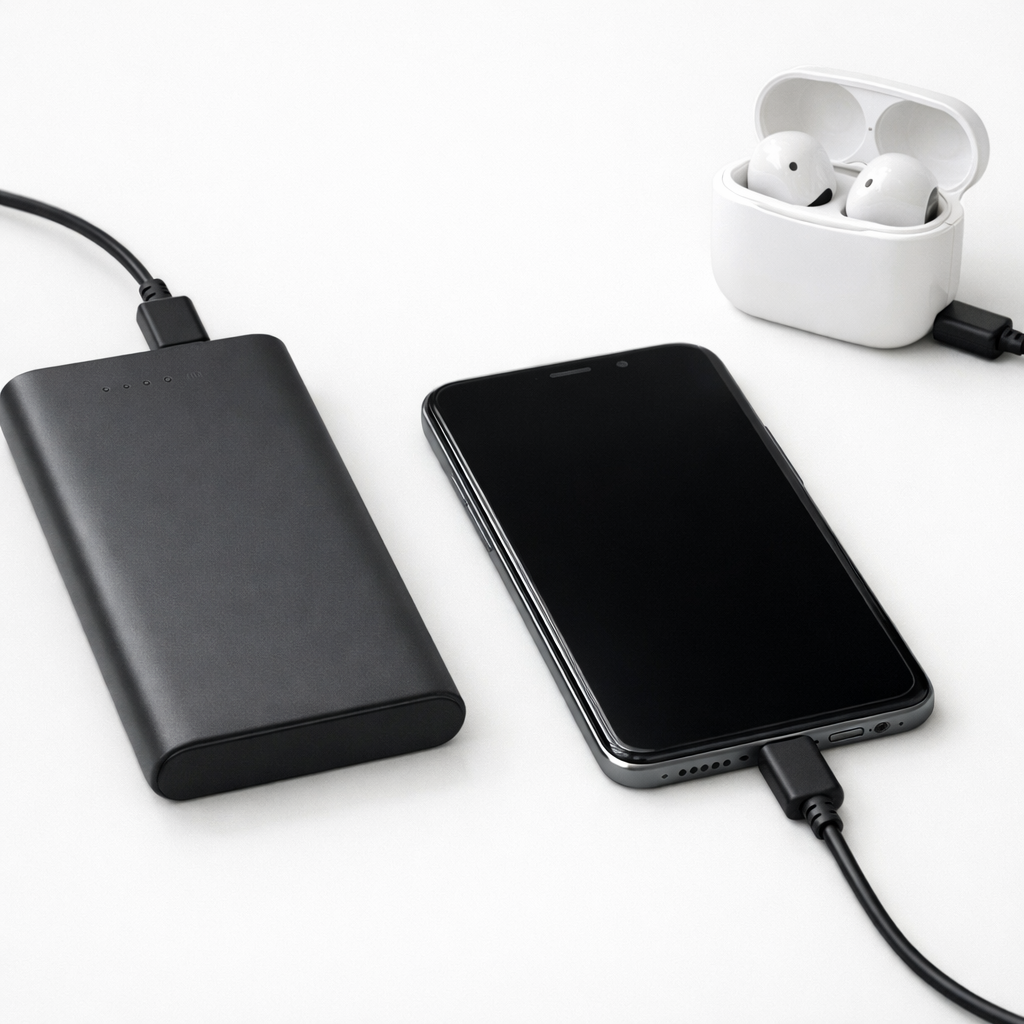
- Check 3: Test a lower-load device first, like wireless earbuds or a basic phone, then test your higher-demand phone. If low-load works but high-load fails, voltage sag and protection are likely.
- Check 4: Check the power bank’s input charging behavior. If it charges unusually fast to a high “percentage” or gets hot while charging with a normal adapter, gauge error or internal damage is likely.
- Check 5: Inspect ports and the seam for dust, corrosion, or bulging. A swollen case, separated seam, or wobbly port is a red flag.
Do not press on a swollen power bank, puncture the casing, or keep testing if it gets hot, smells sweet/chemical, or hisses.
How to Fix It
- Fix 1 (easiest): Let it cool fully and retry at a lower output mode. Cooling reduces protection trips, and lower output reduces the stress that creates heat.
- Fix 2: Swap to a high-quality cable (and clean the ports gently with dry air). Lower resistance helps stabilize output and reduces connector heating.
- Fix 3: Recharge the power bank using a standard 5V/2A charger instead of a high-watt fast charger for a few cycles. Gentler charging can reduce heating and reveal whether the battery is simply worn out.
- Fix 4: Avoid pass-through charging (charging the power bank while it charges your device). This often raises internal temperature and can repeatedly trigger protection on stressed cells.
- Fix 5 (advanced/last resort): If it has a reset pinhole or documented reset procedure, perform it and then fully recharge. This can clear a stuck protection state, but it will not fix a truly degraded or unstable cell.
Signs of Battery or Hardware Damage
- Power bank becomes hot within minutes even when charging a small device.
- Swollen case, lifting seams, or the unit rocks on a flat surface.
- Crackling, hissing, or a sharp “electrical” or sweet chemical smell.
- Output repeatedly cuts off at the same point, even with different cables and devices.
- LED percentage/bars jump around, or it shows “full” then drops to empty quickly.
- Ports are loose, discolored, melted, or show green/white corrosion.
- It was recently dropped, crushed in a bag, or left in extreme heat and now behaves differently.
When Repair Is No Longer Worth It
Most consumer power banks are not worth opening or repairing because the lithium cell and protection circuits are tightly packed, and a mistake can create a fire risk. If your unit overheats, swells, or shuts off under normal loads, replacement is the safer choice.
As a rule, replace it if it is out of warranty and the fix requires anything beyond cable/charger changes and cooling. Also replace it if its real output is no longer reliable for your main device, since the cost of a new, certified bank is usually lower than the risk and time spent troubleshooting a failing cell.
How to Prevent This Problem in the Future
- Keep the power bank out of hot cars and direct sun, since heat is one of the fastest ways to degrade lithium cells.
- Don’t leave it plugged in for days at a time; unplug after it finishes charging to reduce time spent at high voltage.
- Avoid draining to 0% regularly; recharge around 20–30% when possible to reduce stress and heating.
- Use quality cables and avoid very long or damaged cables that increase resistance and create extra heat.
- Skip pass-through charging unless the manufacturer specifically supports it, because it commonly raises internal temperature.
- Choose a power bank from a reputable brand with well-rated protection circuitry and clear certifications.
- Store it partly charged (around 40–60%) if you won’t use it for weeks, and keep it in a cool, dry place.
FAQ
Why does my power bank show charge but not charge my phone?
The indicator LEDs often estimate charge based on voltage, and an aging or unstable lithium cell can look “full” at rest. When you plug in a phone, the voltage can drop quickly and trigger safety shutdown, so it appears like it has power but can’t deliver it.
Is it normal for a power bank to get warm while charging devices?
A little warmth is normal, especially with fast charging. If it becomes hot to the touch, heats up very quickly, or gets warm even with a small device, that points to high internal resistance or a failing cell and you should stop using it.
Can I “recondition” a power bank battery to fix output cutoffs?
Not in a safe, reliable way for most consumer units. Gentle use and avoiding high loads may reduce cutoffs temporarily, but a cell that heats abnormally has already degraded and can worsen over time. If overheating or swelling is present, replacement is the correct fix.
Mark Reynolds covers common battery and charging problems with straightforward explanations and real-world context. For more detailed steps, visit the full guide here.
For a full overview of this issue and step-by-step solutions, read the complete troubleshooting guide.