Charger Overheating Fix — Safe Steps to Reduce Heat and Prevent Damage
Quick Answer
Most charger overheating happens when the charger is working too hard (high power load) or can’t get rid of heat (poor airflow). A phone that is fast-charging, running heavy apps, and sitting on a bed or couch forces the charger to push more power while trapped heat builds up.
Warm is normal, but “too hot to comfortably touch” is a warning sign. Heat often spikes during the first 10–30 minutes of charging or when the battery is low and charging at maximum speed.
If you need a fast fix
- Move it to open air: Unplug, then charge on a hard surface with space around the adapter and cable (not under pillows, blankets, or inside a bag).
- Reduce the power load: Turn on Airplane Mode or Low Power Mode and stop gaming/video calls while charging so the device draws less power.
- Lower the charging speed: Use a lower-watt charger or a basic USB-A port temporarily; slower charging usually runs cooler.
Quick Diagnosis Table
| Symptom | Most likely cause |
|---|---|
| Adapter gets very hot within 5–10 minutes | High-watt fast charging + poor airflow or a strained/low-quality charger |
| Charger is hottest while you use the phone (games, video, hotspot) | Power load is high because the phone is charging and working hard at the same time |
| Cable area near the plug is hot | Worn cable/dirty port causing resistance and extra heat at the connection |
| Charger is cool at first, then heats up and charging slows | Thermal throttling from trapped heat; device reduces charging speed to protect itself |
| Heat is worse in a car or sunny room | High ambient temperature reduces cooling and pushes temperatures past safe limits |
Why This Happens
Charging creates heat naturally, because power has to be converted and controlled before it reaches your battery. The adapter and your device both do some of this work, so both can warm up.
Heat becomes a problem when the charger is delivering high power (fast charging) or when heat can’t escape. Common examples are charging on a bed, charging inside a backpack, using the phone as a hotspot while charging, or charging in a hot car.
When the load is high or airflow is poor, electrical resistance and power conversion losses turn more energy into heat. That heat builds up, making the adapter, plug, and sometimes the phone itself feel unusually hot.
Most Common Causes (Ranked)
- 1) High power load (fast charge + heavy use): Gaming, navigation, video calls, or hotspot while charging makes the phone draw more power and keeps the charger working at its limit.
- 2) Poor airflow around the adapter: Chargers run hotter when covered by blankets, wedged behind furniture, or packed with other warm devices on a power strip.
- 3) Low-quality or mismatched charger: Off-brand adapters may run inefficiently, and the wrong charging standard can cause extra heat or unstable power delivery.
- 4) Cable/port resistance: A frayed cable, loose connector, or lint in the port increases resistance, which often shows up as heat near the plug.
- 5) High room temperature or direct sun: Warm air can’t carry heat away as well, so normal charging becomes “too hot” much faster.
- 6) Multi-device charging from one adapter: Using a multiport charger at full capacity can push it close to its thermal limits, especially if all ports are active.
If the charger runs cooler after you reduce the load or improve airflow, that usually indicates the charger and device are protecting themselves normally and you’ve removed the main trigger.
How to Check the Problem Safely
- Check 1: Unplug everything and let it cool for 10 minutes, then restart charging on a hard, open surface with nothing covering the adapter.
- Check 2: Feel where the heat is strongest (adapter body, cable near the plug, or the phone). Heat at the plug/cable often points to a cable or port issue.
- Check 3: Try a known-good cable and charger that matches your device’s recommended wattage. If heat drops noticeably, the original accessory is likely the problem.
- Check 4: Test with the phone idle: screen off, no games, no navigation, no hotspot. If it stays much cooler, the issue is mainly power load.
- Check 5: Inspect for airflow blockers: crowded power strips, dust, or an adapter pressed against a wall or furniture that traps heat.
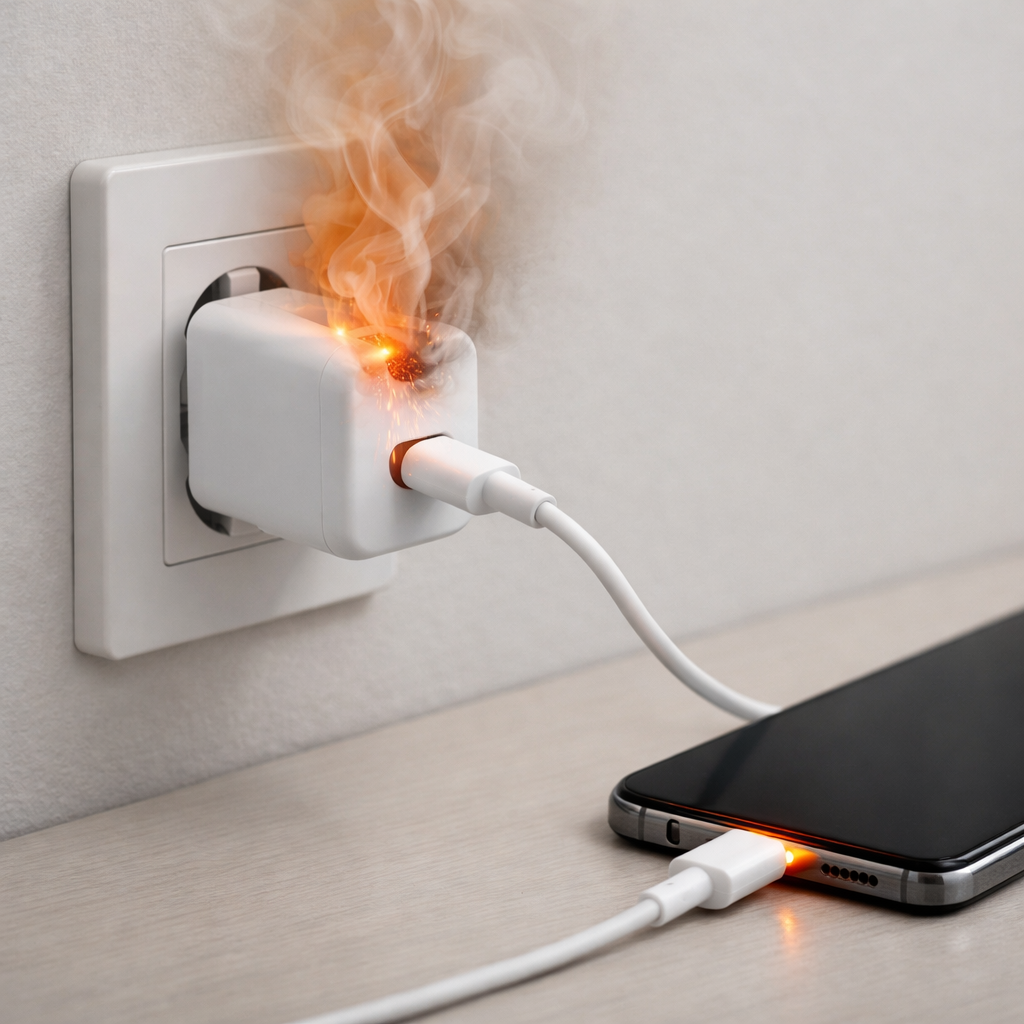
Safety note: If you smell burning plastic, see discoloration, or the plug feels loose or sparking, stop using it immediately and replace the charger/cable.
How to Fix It
- Fix 1 (easiest): Improve airflow by charging on a hard surface with open space around the adapter and phone; better cooling reduces heat buildup fast.
- Fix 2: Reduce the power load while charging by turning on Low Power Mode, closing heavy apps, and avoiding hotspot/gaming; less power draw means less heat.
- Fix 3: Slow the charge rate by using a lower-watt adapter or disabling fast charging (if your device offers a setting); lower wattage usually equals lower temperature.
- Fix 4: Replace the cable (and clean the port) if heat is concentrated at the connector; a clean, snug connection reduces resistance and prevents hot spots.
- Fix 5 (advanced/last resort): Replace the adapter with a reputable brand that supports your device’s charging standard (USB-PD, PPS, or the manufacturer spec); efficient power conversion runs cooler and is safer long-term.
Signs of Battery or Hardware Damage
- Battery percentage jumps or drops suddenly during charge or shortly after unplugging.
- Phone shuts down, reboots, or shows a temperature warning while charging.
- Charging becomes extremely slow even with different chargers (possible thermal or battery health issue).
- Swelling, screen lift, or the back cover separating (stop using immediately).
- Burning smell, sizzling, or crackling noises from the adapter or phone.
- Visible melting, discoloration, or deformation of the charger, cable, or port.
- Port feels loose, charging cuts in and out, or you must hold the cable at an angle to charge.
When Repair Is No Longer Worth It
If the overheating follows the charger (the adapter gets hot with multiple devices/cables) or there is any melting, odor, or intermittent sparking, replacement is the safest choice. Chargers are sealed and generally not repairable in a safe, reliable way for everyday users.
As a rule, replace any charger that runs dangerously hot even with good airflow and light device use. Spending a little more on a certified, correctly rated charger is usually cheaper than risking a damaged phone, battery wear, or an electrical hazard.
How to Prevent This Problem in the Future
- Charge on a hard, open surface and keep the adapter uncovered so heat can escape.
- Avoid heavy use while charging; if you must use the phone, lower brightness and close demanding apps.
- Use the correct wattage and charging standard for your device (reputable USB-PD/PPS chargers when applicable).
- Replace cables at the first sign of fraying, looseness, or connector heat.
- Keep the charging port clean and dry; remove lint carefully with a dry, non-metal tool.
- In hot environments, slow-charge or charge in shorter sessions to limit heat soak.
- Don’t overload multiport chargers; leave headroom so the adapter doesn’t run at maximum output constantly.
FAQ
Is it normal for a charger to get warm?
Yes, mild warmth is normal because the charger is converting power and that creates heat. It should not become too hot to touch or smell unusual. If it does, reduce the charging load and improve airflow, then re-test with a known-good cable and adapter.
Why does my charger get hotter when I fast charge?
Fast charging pushes more watts through the adapter and cable, which increases heat from normal power losses. If airflow is poor or the phone is doing heavy work at the same time, temperatures rise even more. Slower charging or pausing heavy use usually makes the biggest difference.
Can a hot charger damage my phone’s battery?
Excess heat can speed up battery wear over time and may trigger charging slowdowns to protect the device. One hot session usually won’t ruin a battery, but repeated overheating is a sign to change your setup or accessories. If you see swelling, shutdowns, or persistent temperature warnings, stop charging and seek service.
For a full overview of this issue and step-by-step solutions, read the complete troubleshooting guide.
Mark Reynolds writes about real-world charging and battery behavior, with a focus on clear, practical troubleshooting. For more help, read the full step-by-step guide.