Power Bank Charging Issues Causes — Input Power, Cable, or Battery Fault?
Quick Answer
Most “power bank not charging” problems are caused by the power bank limiting charging on purpose because the charging controller detects unsafe conditions or the battery health has degraded. Even when your wall charger and cable seem fine, the power bank may refuse fast charging, reduce speed, or stop and start to protect the cells.
This usually means the pack is too warm, the battery voltage is out of the normal range after deep discharge, or the battery’s internal resistance has increased with age. It’s common for a normal recharge to take 3–8 hours, and an older or safety-limited pack can take 10–20+ hours or never reach 100%.
If you need a fast fix
- Use a known-good wall charger and cable, then charge the power bank directly from the wall (not a laptop USB port) for at least 30–60 minutes.
- Let the power bank cool down to room temperature, then try charging again with nothing plugged into its output ports.
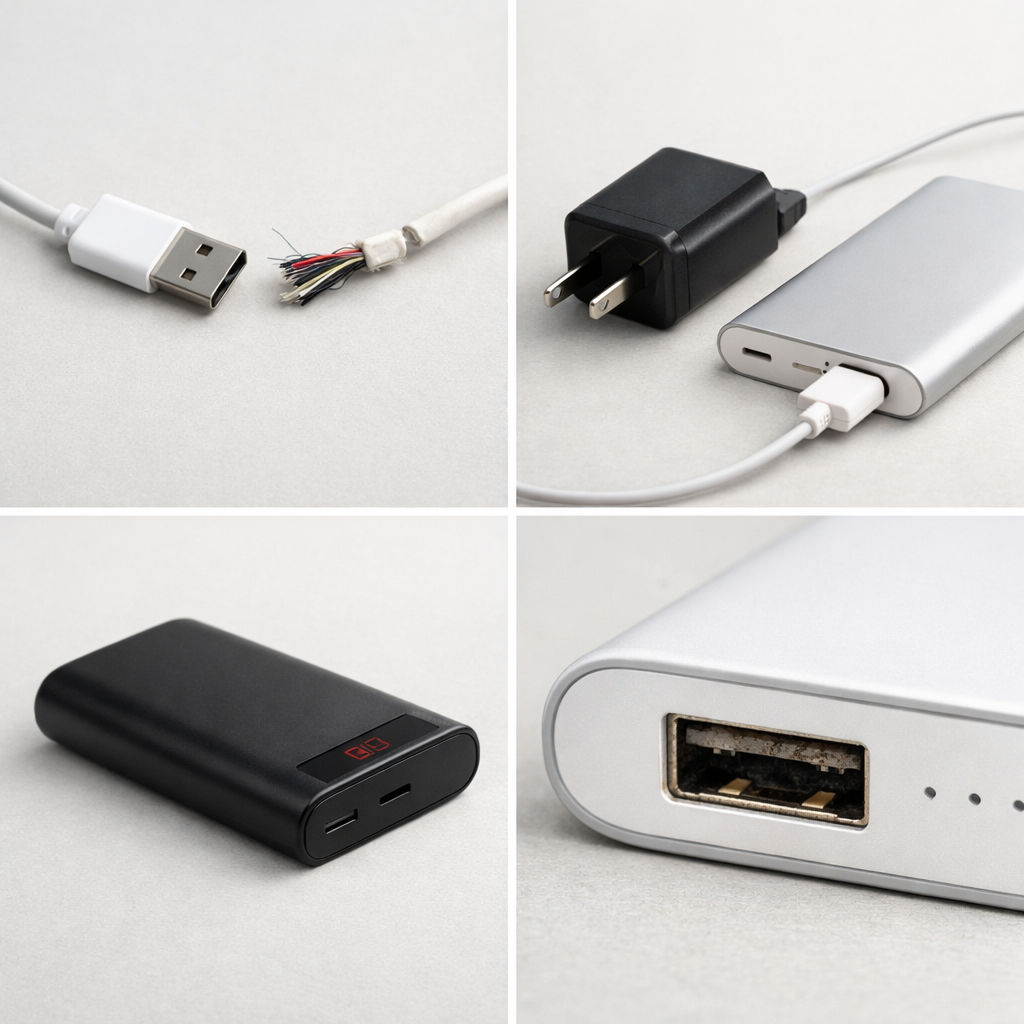
- Try a different input port (USB-C vs Micro-USB, if available) and gently clean lint from the port with a dry wooden toothpick.
Quick Diagnosis Table
| Symptom | Most likely cause |
|---|---|
| LEDs blink then stop charging after a few seconds | Charging controller trips due to unstable input, bad cable/port contact, or protection mode after deep discharge |
| Charges extremely slowly on a fast charger | Battery health decline (higher internal resistance) or thermal limiting reduces charge current |
| Stuck at 0–1 LEDs, won’t start charging | Battery was deeply discharged and the controller requires a longer “pre-charge” period before normal charging begins |
| Gets warm and pauses, then resumes repeatedly | Temperature protection or aging cells causing heat under charge, so the controller cycles power |
| Shows 100% quickly but drains fast when used | Capacity loss from aging battery cells or calibration drift; controller reads voltage as “full” too early |
Why This Happens
A power bank is not just a battery in a box. Inside is a charging controller that decides how much power to accept, when to slow down, and when to stop, based on battery voltage, temperature, and safety limits.
When the battery ages, it holds less energy and often produces more heat while charging. The controller reacts by lowering the charge rate or pausing to prevent swelling and overheating, which looks like “it won’t charge” or “it charges forever.”
For example, a thin or worn cable can make the incoming voltage sag, and the controller may interpret that as an unsafe or unstable supply. Cause leads to symptom like this: unstable input or weak battery health triggers protection, protection reduces current, and the user sees slow charging, blinking lights, or charging that starts and stops.
Most Common Causes (Ranked)
- 1) Battery health degradation (capacity loss and higher internal resistance): Older cells heat up more and accept charge less efficiently, so the controller slows or stops charging to stay safe.
- 2) Charging controller protection mode after deep discharge: If the power bank sat empty for weeks, the controller may require a long pre-charge at very low current before “normal” charging starts.
- 3) Cable or connector voltage drop: A poor cable or loose port connection causes voltage dips, and the controller cuts charging to avoid unstable input conditions.
- 4) Inadequate input power source: Some wall chargers or USB ports can’t sustain the required current, so the power bank negotiates a slower mode or repeatedly restarts charging.
- 5) Heat limiting (ambient heat or charging while used): Charging in a hot room, in a car dash, or while also powering devices can push temperatures high enough for the controller to throttle.
- 6) Port contamination or internal solder/board damage: Pocket lint, corrosion, or a cracked connector can make charging intermittent even with known-good accessories.
If charging speed improves gradually after 30–90 minutes, it often indicates the controller has exited pre-charge mode and the battery voltage has recovered into a normal range.
How to Check the Problem Safely
- Check 1: Confirm the wall charger works by charging a phone normally, then use that same charger for the power bank.
- Check 2: Swap the cable for a short, good-quality cable, and avoid very long or thin cables during testing.
- Check 3: Try a different input method: USB-C input if available, then Micro-USB (or the reverse) to rule out a damaged port.
- Check 4: Charge with nothing connected to the power bank outputs and avoid pass-through charging while diagnosing.
- Check 5: If your model has a button, press it once to wake the indicator, then start charging and watch whether the LEDs stay steady or cycle on and off.
Safety note: if the power bank becomes hot to the touch, smells odd, or the case bulges, stop immediately and move it to a non-flammable surface.
How to Fix It
- Fix 1 (easiest): Use a reliable wall charger (preferably 5V/2A or higher) and a known-good cable, because stable input prevents the controller from restarting or falling back to slow mode.
- Fix 2: Let it pre-charge longer if it was deeply drained: leave it on a wall charger for 2–4 hours even if the indicator barely changes, since some controllers take a long time to recover a low-voltage battery safely.
- Fix 3: Cool it down and charge at room temperature, because heat triggers throttling and makes aging batteries charge much slower.
- Fix 4: Clean and stabilize the port connection: remove lint gently, plug the cable in fully, and try a different cable end, because intermittent contact causes voltage dips that stop charging.
- Fix 5 (advanced/last resort): If it still won’t charge after multiple cables and chargers, treat it as a failing battery or controller and replace the power bank; sealed lithium packs are usually not economical or safe for DIY cell replacement.
Signs of Battery or Hardware Damage
- Case swelling, bulging seams, or the power bank no longer sits flat on a table
- Strong chemical/sweet odor, smoke, or hissing sounds
- Becomes very hot during charging or even while idle
- Charging only works when the cable is held at a certain angle (loose or damaged port)
- LEDs behave erratically: rapid flicker, random resets, or no lights even after hours on a known-good charger
- Sudden major capacity loss (for example, it used to recharge a phone twice and now can’t finish once)
- Cracks near the port, rattling inside, or signs of liquid exposure/corrosion
When Repair Is No Longer Worth It
Most consumer power banks are sealed units, and the most common failures are the battery cells aging out or the charging board failing. Because lithium batteries require careful matching and protection circuitry, repair is often higher risk than it is worth unless done by a qualified shop with proper parts.
As a rule, replace the power bank if it can’t reliably charge after testing with a good charger and cable, if it overheats, or if capacity has dropped sharply. If a new reputable power bank costs close to the price of diagnosis or parts, replacement is usually the safer and better-value choice.
How to Prevent This Problem in the Future
- Avoid storing it empty; aim to store around 40–70% charge to reduce battery stress and deep-discharge lockouts.
- Do not leave it on charge for days at a time; unplug when full to reduce heat and long-term wear.
- Use decent cables and a stable wall charger, since voltage drop and unstable input can trigger controller protection and slow charging.
- Keep it cool: don’t charge in direct sunlight, on blankets, or in hot cars, because temperature limiting slows charging and accelerates aging.
- Avoid charging the power bank while also heavily using it (pass-through), which creates extra heat and can confuse power negotiation.
- Cycle it occasionally: a normal discharge and recharge every 1–3 months helps you notice capacity loss early.
- Handle the ports gently and keep them clean to prevent loose connectors that cause intermittent charging.
FAQ
Why does my power bank charge my phone but won’t charge itself?
Output and input are controlled differently. The power bank can still boost power out even if the charging controller is limiting or refusing input due to battery health, temperature, or unstable incoming voltage. Try a different wall charger and cable first, then allow a longer pre-charge period if it was deeply discharged.
Why does it stop at 99% or never reach 100%?
Near full, the controller intentionally slows down to protect the battery, so the last 5–10% can take a long time. With aging cells, the voltage can rise quickly while real capacity is low, so the controller ends charging early or “hovers” near full. If it also drains quickly in use, battery wear is the likely cause.
Is it safe to leave a power bank charging overnight?
Most reputable power banks have protection circuits, but leaving it charging unattended increases risk if the battery is aging or the unit is damaged. Overnight charging also adds time at high charge levels, which can shorten battery life over months. If you must charge overnight, place it on a hard, non-flammable surface and stop using it if it gets hot or behaves inconsistently.
Mark Reynolds covers battery health, charging limits, and common device issues with a focus on clarity and practical fixes. For a deeper look, visit the full troubleshooting guide.
For a full overview of this issue and step-by-step solutions, read the complete troubleshooting guide.