Charging Cable Warm to the Touch — Normal Resistance Heat or Damage?
Quick Answer
A charging cable that feels slightly warm is usually normal and comes from basic electrical resistance as current flows through the wire and connectors. The more power your phone, tablet, or laptop pulls (especially during fast charging), the more noticeable that gentle warmth can be.
In most cases it’s most noticeable in the first 10–30 minutes of charging or when the battery is low, then it eases as charging slows down. Warm is normal; hot, smelly, or rapidly heating is not.
If you need a fast fix
- Unplug and replug the cable firmly at both ends, then charge again and see if the warmth decreases within 5–10 minutes.
- Move the cable so it’s straight and not coiled, pinched, or under a pillow or laptop, which can trap heat.
- Try a different wall charger (same brand or reputable) or a different cable to compare temperature under the same conditions.
Quick Diagnosis Table
| Symptom | Most likely cause |
|---|---|
| Slight warmth near the phone end during fast charging | Normal resistive heating from higher current, especially when the battery is low |
| Cable warm mostly at one connector, not along the whole length | Extra resistance from a loose/dirty connector or worn plug fit creating a hot spot |
| Cable gets hotter when it’s bent, twisted, or coiled | Increased resistance from cable strain plus trapped heat from airflow being blocked |
| Charging speed is slow and the cable feels warmer than usual | High resistance in the cable (thin wires, damage, or poor-quality cable) wasting power as heat |
| Warmth plus flickering charge icon or disconnects | Intermittent contact at the port/plug causing arcing-like heating and unstable charging |
Why This Happens
Any wire carrying electricity creates a little heat because the metal and connections resist the flow of current. That resistance turns a small amount of electrical energy into heat, which you feel as warmth in the cable or at the plugs.
Fast charging increases the current and sometimes the voltage, which can make normal warmth more noticeable. For example, a phone pulling high power at 0–50% battery can make the cable feel warmer than it does near the end of a charge.
When resistance is higher than it should be (from a cheap cable, a loose connector, dirt in the port, or internal wire damage), more energy is wasted as heat, so the cable feels hotter and charging may be less stable.
Most Common Causes (Ranked)
- 1) Normal resistive heating during high-power charging: Fast charging and low battery states draw more current, and a little warmth is expected, especially near the ends.
- 2) Cable quality and wire thickness: Thin internal wires and high-resistance materials in low-cost cables create more heat for the same charge rate.
- 3) Warm connector hot spot from imperfect contact: A slightly loose fit or worn plug increases resistance right at the connector, making that specific spot warmer.
- 4) Heat trapping from coiling or covering: A cable tucked under bedding, behind a couch, or tightly coiled can’t shed heat well, so normal warmth builds up.
- 5) Dirty or pocket-lint-filled charging port: Debris can prevent a solid connection, increasing resistance and creating warmth plus slower charging.
- 6) Internal cable damage from bending or stretching: Repeated kinks near the plug can break strands inside the wire, raising resistance and causing localized heating.
If the cable gets a bit warm early in the charge but stays stable and cools down later, that gradual improvement usually points to normal charging behavior rather than damage.
How to Check the Problem Safely
- Check 1: Feel where it’s warm: along the whole cable (often normal) versus one small hot area near a connector (often a contact or cable issue).
- Check 2: Compare with a known-good setup by using another cable or charger for 10 minutes under the same outlet and device.
- Check 3: Look closely at the cable jacket and plugs for discoloration, melted spots, cracks, or exposed metal.
- Check 4: Check the device port for lint or debris, then see if the plug seats firmly without wobble.
- Check 5: Note charging behavior: if the device repeatedly connects/disconnects or charges much slower than usual, extra resistance is likely.
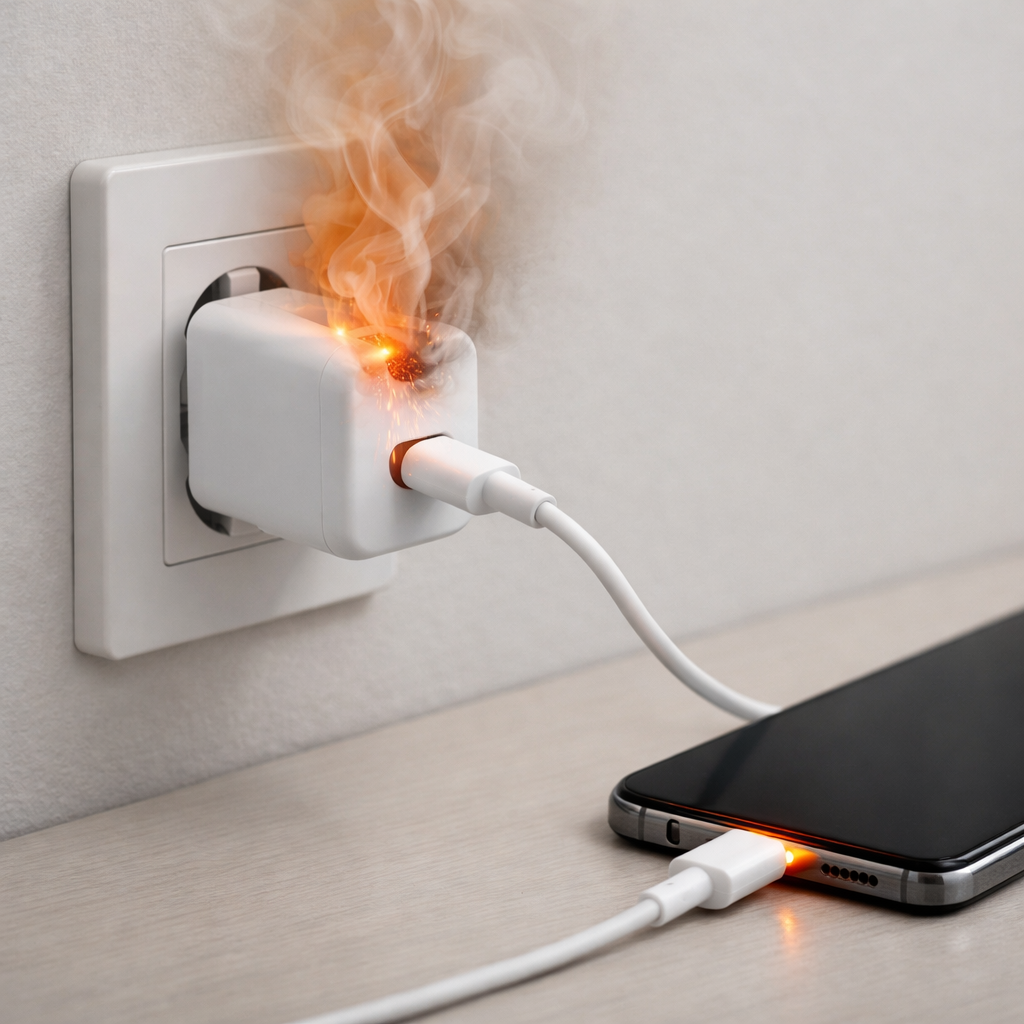
If anything smells like burning, feels too hot to hold comfortably, or shows melting, unplug it immediately and stop using that cable and charger.
How to Fix It
- Fix 1 (easiest): Uncoil and reposition the cable so it lies straight with airflow around it; this reduces heat buildup from normal resistance.
- Fix 2: Switch to a certified, higher-quality cable (and correct type for your device); better materials and thicker conductors reduce resistance and heat.
- Fix 3: Reduce charging load when needed by turning off screen-heavy apps, lowering brightness, or avoiding gaming while charging; less power draw means less current and less heat.
- Fix 4: Clean the charging port carefully: power the device off, then gently remove lint with a dry, non-metal tool; a solid connection lowers resistance at the plug.
- Fix 5 (advanced/last resort): If the port is loose, the plug wobbles, or several known-good cables heat up at the same connector, have the charging port inspected or replaced; a worn port can create persistent high-resistance heating.
Signs of Battery or Hardware Damage
- Cable or connector becomes hot quickly, not just warm, or is uncomfortable to touch.
- Burning smell, visible smoke, or crackling sounds during charging.
- Melted plastic, browning/discoloration, or a shiny deformed area on the plug or cable.
- Charging repeatedly disconnects and reconnects when the cable is barely moved.
- The phone, tablet, or laptop itself is abnormally hot near the battery area while charging.
- Battery swelling, lifting screen, bulging back cover, or a device that won’t sit flat.
- Device shuts down, reboots, or shows “accessory not supported” messages with multiple chargers.
When Repair Is No Longer Worth It
Cables are consumables, so replacement is usually the best choice if there are hot spots at one end, visible damage, or unstable charging. If multiple cables get warm at the device end and the port feels loose, a port repair may be worth it for a pricey device, but not for an older one.
Use a simple value check: if a reputable new cable and charger combo is far cheaper than a port repair, replace the accessories first. If the device still heats, disconnects, or charges slowly with known-good accessories, consider service, especially if the device is still valuable or under warranty.
How to Prevent This Problem in the Future
- Use certified or manufacturer-recommended cables and chargers that match your device’s fast-charging standard.
- Avoid sharp bends near the plug; give the first few inches of cable a gentle curve to prevent internal strand damage.
- Don’t coil the cable tightly while charging, and don’t charge under pillows, blankets, or in direct sunlight.
- Keep the charging port clean by minimizing pocket lint exposure and doing occasional gentle dry cleaning when needed.
- Insert and remove the plug straight, not at an angle, to reduce wear that increases contact resistance over time.
- Replace cables that start to charge intermittently, feel warmer than they used to, or show jacket cracking.
- When practical, let fast charging do its job early, then unplug once you have enough battery; less time at high power means less cumulative heat.
FAQ
Is it normal for a charging cable to get warm during fast charging?
Yes, mild warmth can be normal because higher charging power means more current and more resistive heating in the cable and connectors. It’s most common early in the charge when the battery is low. The cable should not become painfully hot or develop a smell.
Why is only one end of the cable warm?
Warmth concentrated at one connector usually means extra resistance at that connection point. A loose fit, dirty port, worn plug, or internal wire damage near the strain relief can create a small “hot spot.” If it persists after cleaning and trying another cable, stop using that cable.
Should I stop using a cable that feels warm?
Not necessarily if it’s only slightly warm, charging is stable, and there are no signs of damage. Stop immediately if it gets hot quickly, smells odd, discolors, or causes disconnects. When in doubt, swap to a known-good cable and charger to see if the warmth goes away.
For a full overview of this issue and step-by-step solutions, read the complete troubleshooting guide.
For a clearer understanding of battery drain and charging limits, Mark Reynolds focuses on simple, practical fixes that work across most devices. You can also read the complete troubleshooting guide.