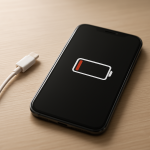
Phone Battery Percentage Inaccurate — Calibration Error or Sensor Failure?
Quick Answer
Most “wrong battery percentage” problems come from the phone’s battery management sensor being miscalibrated or losing voltage-tracking accuracy as the battery ages. The battery may be fine, but the phone’s estimate of how full it is becomes unreliable.
This often shows up after a major update, a battery replacement, months of short top-ups, or a few deep drain events. In many cases, the percentage improves within a few days of normal use or after one or two controlled recalibration cycles.
If you need a fast fix
Restart the phone and then use it normally for 30–60 minutes to see if the gauge stabilizes.
Charge with a known-good cable and charger for 20–30 minutes without using the phone.
Turn off Battery Saver/Low Power Mode temporarily to see if the percentage jumps are just a display/management behavior.
Quick Diagnosis Table
Symptom
Most likely cause
Battery drops 10–30% quickly, then lasts a long time
Battery gauge calibration drift from inconsistent charge patterns
Phone shuts down at 20–40% remaining
Voltage tracking error from an aging battery causing sudden voltage sag
Percentage jumps up/down while charging
Unstable readings from temperature changes, poor cable/charger quality, or sensor confusion
Stuck at 1% or 100% for a long time
State-of-charge estimate stuck due to software glitch or mislearned endpoints
Why This Happens
Your phone doesn’t “see” battery percentage directly. It estimates it using a battery management system that watches voltage, current, temperature, and charging behavior to calculate a state-of-charge number.
Over time, the battery’s chemistry changes and its voltage curve shifts, especially under heavy load (gaming, camera, hotspot). If the phone’s model of the battery no longer matches reality, the percentage can look wrong even when the battery is still delivering power.
When the estimate is off, you’ll notice jumps, fast drops, or shutdowns before 0% because the phone is reacting to the battery’s real voltage limits while still showing an inaccurate percentage on screen.
Most Common Causes (Ranked)
1) Battery gauge calibration drift: Frequent short charges (like 45% to 80% over and over) can prevent the phone from “learning” accurate full and empty points, so the display percentage becomes less trustworthy.
2) Aging battery causing voltage sag: As battery health declines, voltage can dip suddenly under load, making the phone shut down or drop percentage quickly even though it looked “fine” a moment ago.
3) Post-update battery management recalculation: After an OS update, the system may rebuild power models and background indexing can change usage patterns, making the percentage look erratic for a few days.
4) Charging accessory quality or intermittent connection: A loose port, worn cable, or low-quality charger can cause charging to start/stop rapidly, confusing the meter and leading to percentage jumps.
5) Temperature swings: Cold weather and overheating can distort voltage readings and reduce available power, so the sensor estimate becomes less accurate until the battery returns to normal temperature.
6) Battery replacement without proper pairing/validation: Some phones store battery data and expect specific characteristics; a third-party battery or an improperly fitted connector can cause poor tracking and false percentages.
If the percentage becomes gradually more stable over several charge cycles, that usually indicates a calibration/learning issue rather than a sudden hard hardware failure.
How to Check the Problem Safely
Check 1: Note the pattern: does it drop fast from 100% to 80%, or does it crash near 20–40%? Consistent patterns point to calibration drift or voltage sag.
Check 2: Try a known-good charger and cable, and gently wiggle the connector while charging. If charging repeatedly connects/disconnects, the gauge can behave unpredictably.
Check 3: Check battery usage for unusual background drain (system services, location, hotspot). Heavy load can expose voltage sag and make the percentage appear “wrong.”
Check 4: Feel for heat: if the phone gets hot while charging or during light use, temperature-related voltage shifts can cause jumps and premature shutdown.
Check 5: Compare behavior in Airplane Mode for 20–30 minutes. If the percentage stabilizes, the issue may be load-related sag rather than only sensor calibration.
Safety note: Avoid forcing the phone to run while it is overheating or swelling, and never charge under a pillow or in direct sunlight.
How to Fix It
Fix 1 (easiest): Restart the phone and update apps/OS. A reboot can reset stuck reporting, and updates often include power-management fixes.
Fix 2: Use a consistent charging routine for 2–4 days (for example, charge to around 90–100% once daily and avoid constant top-ups). This helps the battery manager relearn a stable curve.
Fix 3: Do one controlled calibration cycle: charge to 100% and keep it on the charger for another 30–60 minutes, then use normally down to about 10–15%, then charge back to 100% in one session. This can improve the accuracy of the “full” and “near empty” reference points.
Fix 4: Reduce sudden heavy loads when the battery is low (camera flash, gaming, hotspot) and keep the phone at moderate temperature. This minimizes voltage sag that can trigger drops and shutdowns.
Fix 5 (advanced/last resort): If the phone still shuts down above 10–20% after multiple cycles, consider a battery health check and replacement by a reputable shop. A worn battery can’t be “calibrated” back to stable voltage under load.
Signs of Battery or Hardware Damage
Phone shuts off suddenly at the same percentage (often 20–40%) even after recalibration.
Battery percentage fluctuates wildly within minutes with no change in usage.
Noticeable swelling, screen lifting, or the phone rocking on a flat surface.
Phone gets unusually hot during light tasks or while charging.
Charging is intermittent unless the cable is held at an angle.
Charging is extremely slow on multiple known-good chargers and cables.
Battery drains rapidly even in Airplane Mode or while idle overnight.
When Repair Is No Longer Worth It
If inaccurate percentage comes with random shutdowns, overheating, or swelling, battery replacement is usually the correct repair and continuing to use the device can be unsafe. If the phone is old and already has other issues (weak port, poor performance, limited storage), the battery fix may not be the best investment.
As a rule of thumb, if a battery replacement costs a large fraction of the phone’s current resale value, put that money toward a newer model. If the phone is otherwise in good condition and the battery is the main problem, a quality battery replacement often restores stable readings and daily usability.
How to Prevent This Problem in the Future
Avoid constant tiny top-ups all day; aim for fewer, longer charging sessions so the phone can model the battery more accurately.
Keep the battery between roughly 20% and 80% for daily use when convenient, and do an occasional full charge to help the gauge maintain reference points.
Use a reliable charger and cable to prevent stop-start charging that confuses the meter.
Keep the phone cool while charging and avoid heavy gaming or hotspot use when plugged in.
If you store the phone, leave it around 40–60% and power it up monthly to prevent deep discharge issues.
After major OS updates, give the phone a few days of normal use before judging battery percentage accuracy.
If you replace the battery, choose reputable parts and installation to ensure stable connections and correct battery identification where required.
FAQ
Does calibrating the battery “improve battery health”?
No. Calibration only improves how accurately the phone estimates the remaining charge. If the battery is worn out, calibration may make the percentage display more honest, but it won’t restore lost capacity.
How often should I do a full drain to 0% to fix the percentage?
Rarely, if ever. Frequent deep discharges can stress lithium-ion batteries and accelerate wear. If you need to recalibrate, a controlled cycle to about 10–15% and back to 100% is usually enough.
Why does my phone die at 30% only when it’s cold or when I play games?
Cold temperatures and heavy loads both increase voltage drop in an aging battery. The phone may hit its minimum safe voltage and shut down even though the gauge still shows remaining percentage. Warming the phone to room temperature and reducing load can confirm this pattern.