Phone Battery Draining in Airplane Mode? Hidden Power Consumption Explained
Quick Diagnostic Checklist
- Check screen-on time while airplane mode is active
- Verify Wi-Fi or Bluetooth were not manually re-enabled
- Monitor battery usage by apps
- Disable location services and sensors
- Check device temperature
- Restart the phone to reset background processes
Why battery still drains in airplane mode
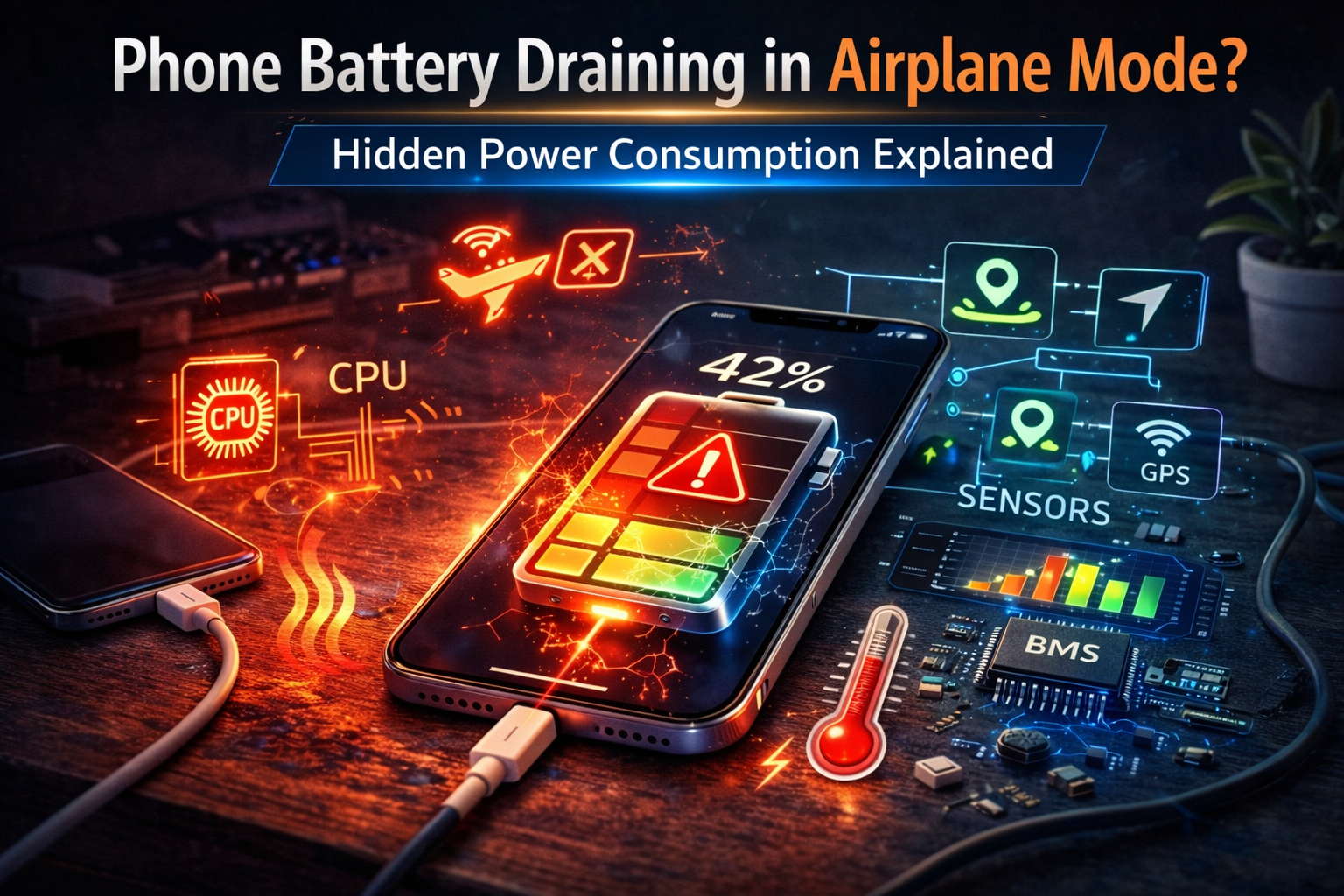
Airplane mode disables wireless communication such as cellular, Wi-Fi, and Bluetooth. However, it does not shut down the operating system, processor, sensors, or display. These components continue consuming energy even without network activity.
If battery drain remains noticeable, power is being used by internal processes rather than radio transmission.
Major power consumers that remain active
Display and screen activity
The display is typically the largest power consumer on a smartphone. Brightness level and screen-on duration heavily influence battery drain.
Background processing
Apps continue running local tasks, system maintenance operations, and data processing even without internet connectivity.
Sensor activity
Motion sensors, accelerometers, and gyroscopes remain active for system functions and apps such as fitness tracking.
Location services
GPS and location tracking may remain active if manually enabled, increasing energy consumption.
Thermal regulation
The system may consume additional power to manage device temperature or stabilize performance.
Battery self-discharge
Lithium batteries naturally lose small amounts of stored energy over time, even when idle.
Normal vs abnormal battery loss in airplane mode
- 1–3% loss overnight → normal idle consumption
- 5–10% overnight → moderate background activity
- Rapid loss while screen is off → investigate
- Battery drains even when idle and cool → possible hardware issue
Professional troubleshooting procedure
Step 1 — Check battery usage statistics
Review which apps or system processes consume the most energy.
Step 2 — Disable manual wireless reactivation
Some phones allow Wi-Fi or Bluetooth to be turned on independently of airplane mode.
Step 3 — Restrict background activity
- Disable background app refresh
- Close unused applications
- Reduce system widgets
Step 4 — Reduce display power demand
- Lower brightness
- Shorten screen timeout
- Disable always-on display
Step 5 — Disable sensors and location
Turn off motion tracking, GPS, and activity detection if not needed.
Step 6 — Test idle drain
Charge to full, enable airplane mode, leave unused overnight, then measure percentage loss.
Signs of abnormal power consumption
- Phone becomes warm while idle
- Battery drains rapidly with screen off
- Usage time is extremely short
- Battery percentage fluctuates unexpectedly
Possible hardware-related causes
- Battery capacity degradation
- Background system process malfunction
- Power management software error
- Internal electrical leakage
Safety warning
If battery drain is combined with overheating, swelling, or sudden shutdowns, discontinue use and inspect the battery condition.
Prevention best practices
- Keep software updated
- Avoid extreme temperatures
- Limit unnecessary background apps
- Use low power mode when standby time is critical
- Perform periodic battery health checks
When battery replacement may be required
If rapid drain continues despite low activity and proper settings, battery capacity may be significantly degraded.
FAQ
Does airplane mode stop all power use?
No. It disables radios but not internal processing.
Why does battery drain overnight in airplane mode?
Background processes, sensors, and natural battery discharge continue.
Does turning the phone off save more battery?
Yes. Powering off stops almost all activity.
Can a new phone still drain in airplane mode?
Yes. Internal components always consume some energy.
Author Expertise
This guide is based on smartphone power management architecture, processor activity, sensor energy consumption, and lithium battery behavior during standby conditions.
Related Guides
- Phone Battery Draining Overnight
- Device Battery Draining When Idle
- Battery Drains Faster After Update
- Battery Percentage Jumping Suddenly
Conclusion
Battery drain in airplane mode is caused by internal device activity rather than wireless communication. While small energy loss is normal, significant drain may indicate background processing, sensor activity, or battery degradation. Proper monitoring and system optimization help reduce unnecessary power consumption.
For a full overview of this issue and step-by-step solutions, read the complete troubleshooting guide.