Phone Charging Then Disconnecting Repeatedly — Loose Connection or Power Fluctuation?
Quick Answer
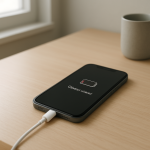
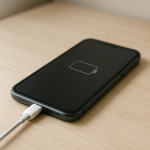
If your phone keeps connecting and disconnecting while charging, the most common reason is an intermittent connection (a loose cable/port contact) or unstable power (a charger, outlet, or power strip that briefly drops voltage). The phone detects the break in power and immediately stops charging, then starts again when power returns.
This often happens within seconds to a few minutes of plugging in, especially when the cable is bumped, the phone is moved, or the charger is sharing an outlet with other devices.
If you need a fast fix
- Try a different cable and charger (ideally a known-good original or certified set) and plug directly into a wall outlet.
- Clean the charging port gently (compressed air or a dry wooden toothpick) and reconnect the cable firmly without wiggling it.
- Charge with the phone lying still on a flat surface and avoid using the phone while it’s charging.
Quick Diagnosis Table
| Symptom | Most likely cause |
|---|---|
| Charging icon flickers when the cable is moved | Loose connector, worn cable end, or dirty/damaged charging port contact |
| Charging starts, stops, then starts again every 10–60 seconds | Unstable power from charger, outlet, power strip, or failing adapter |
| Only charges at certain angles | Port pins not making consistent contact, bent connector, or internal port wear |
| Fast charging turns on and off repeatedly | Cable or charger can’t hold required current/voltage, or negotiation fails due to poor contact |
| Charges fine on one charger but not another | Weak charger, damaged adapter, or noisy/overloaded power source |
Why This Happens
Charging is basically a steady handshake between your phone and the power source: the connector must maintain clean metal-to-metal contact, and the charger must supply stable voltage and enough current. If either one drops out even briefly, the phone treats it like you unplugged the cable.
In real life, the weak point is usually the physical connection. A slightly stretched cable end, pocket lint packed into the port, or a connector that doesn’t “click” fully can cause tiny interruptions when the phone vibrates, you pick it up, or the cable shifts.
Power issues can cause the same symptom. A cheap or failing charger, an overloaded outlet strip, or a loose outlet can momentarily dip voltage, which forces the phone to stop charging and then retry.
Most Common Causes (Ranked)
- 1) Dirty charging port (lint/debris): Pocket lint compresses into the bottom of the port so the plug can’t fully seat, causing intermittent contact and repeated reconnects.
- 2) Worn or damaged cable: The wire near the connector often breaks internally, so small movements cause the connection to drop and return.
- 3) Loose or failing wall charger (adapter): Aging or low-quality adapters can’t maintain stable output, especially under fast-charging loads.
- 4) Unstable outlet/power strip: Loose outlets, power strips with worn switches, or shared circuits (space heaters, microwaves) can create voltage dips that reset charging.
- 5) Port wear or damage inside the phone: After many insertions, the port’s internal contacts can loosen or bend, making charging angle-dependent.
- 6) Moisture detection or contamination: If the phone detects moisture or corrosion, it may repeatedly stop charging as protection or limit charging unpredictably.
If the disconnecting becomes less frequent after cleaning the port or changing the cable, that gradual improvement usually means the issue was contact-related rather than a deeper battery problem.
How to Check the Problem Safely
- Check 1: Try a known-good cable and charger. If the issue disappears, your original cable or adapter is the problem.
- Check 2: Plug into a different wall outlet (skip power strips and extension cords). If it stabilizes, your outlet/power strip is likely causing voltage dips.
- Check 3: Inspect the cable ends closely. Look for looseness, wobble, bent metal, discoloration, or a connector that feels “soft” when inserted.
- Check 4: Check the phone’s port with a flashlight. If you see lint packed at the bottom or any green/white residue, the plug may not be seating correctly.
- Check 5: If wireless charging is available, test it. Stable wireless charging suggests the battery is generally okay and the issue is likely the port/cable/power path.
Safety note: avoid metal tools in the port and never charge a phone that is wet, smells like burning, or becomes unusually hot.
How to Fix It
- Fix 1 (easiest): Replace the charging cable with a certified or original-quality cable. This helps because most intermittent charging is caused by broken internal strands near the connector.
- Fix 2: Swap the wall charger for a reputable one with the correct wattage for your phone. A stable adapter prevents voltage dips that make the phone repeatedly reconnect.
- Fix 3: Clean the charging port carefully. Power off the phone, use compressed air, then gently remove lint with a dry wooden toothpick; this allows the plug to seat fully and maintain contact.
- Fix 4: Eliminate bad power sources. Plug directly into a different wall outlet, avoid loose outlets, and stop using worn power strips or extension cords to reduce power fluctuations.
- Fix 5 (advanced/last resort): Have the charging port inspected or replaced by a repair shop. If the port is loose, bent, or detached from the board, professional repair restores a stable connection.
Signs of Battery or Hardware Damage
- Phone gets hot quickly while charging, even when not in use.
- Battery percentage jumps up or down suddenly, or shuts off at 10–30%.
- Charging stops even with multiple known-good cables and chargers.
- Visible port damage: bent pin, cracked housing, or the connector feels unusually loose.
- Burning smell, buzzing, crackling, or discoloration around the port or cable end.
- Swollen battery signs: screen lifting, back cover bulging, or the phone rocking on a flat table.
- Moisture/corrosion signs in the port (green/white residue) or repeated moisture warnings in dry conditions.
When Repair Is No Longer Worth It
If your phone needs a port replacement plus additional work (battery replacement, board repair, or recurring overheating), the total repair cost can approach the value of an older device. In that case, replacement is often more reliable than stacking multiple repairs.
As a rule of thumb, if repair is more than about 30–50% of what you’d pay for a comparable replacement phone, consider upgrading, especially if the phone also has poor battery life or no longer receives security updates.
How to Prevent This Problem in the Future
- Insert and remove the cable straight in and out; avoid side-loading pressure that loosens port contacts over time.
- Use certified or original-quality cables and chargers to maintain stable voltage and current.
- Keep the port clean by periodically checking for lint, especially if you carry the phone in pockets or bags.
- Don’t use the phone heavily while it’s plugged in; movement and cable leverage increase wear and intermittent contact.
- Avoid charging from loose outlets, worn power strips, or crowded extension cords that can cause power dips.
- Replace frayed or “wiggly” cables early instead of forcing them to work at certain angles.
- Reduce strain by using a shorter cable or a right-angle connector if your setup often pulls sideways.
FAQ
Is it dangerous if my phone keeps connecting and disconnecting while charging?
It’s usually not immediately dangerous if the phone and charger stay cool and there’s no smell or discoloration. However, repeated disconnects can create extra heat at the connector and may accelerate port or cable wear. If you notice heat, burning smells, or a loose/charred connector, stop using that charger and cable.
Why does it charge normally on a computer USB port but not on my wall charger?
A computer USB port often provides lower, steadier power, which can be more forgiving with a marginal cable or loose contact. A fast wall charger pushes higher current and uses charging “negotiation,” which may fail if the cable/port contact is poor. If PC charging is stable, try a new cable and a reputable wall adapter.
Will cleaning the port really help, and how often should I do it?
Yes, port lint is one of the most common causes of intermittent charging because it prevents the plug from fully clicking into place. Clean it only when you see buildup or the cable won’t seat firmly, not daily. Always power the phone off and use non-metal tools to avoid damaging the contacts.
For a full overview of this issue and step-by-step solutions, read the complete troubleshooting guide.