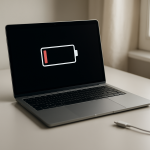
Laptop Losing Battery While Powered Off: Causes of Phantom Power Drain
Quick Diagnostic Checklist
- Confirm the laptop is fully powered off (not sleep or hybrid shutdown)
- Check if USB ports supply power while off
- Disconnect all external devices and accessories
- Verify BIOS power features such as Wake-on-LAN
- Monitor battery percentage over 24 hours while unused
- Check battery health and age
What phantom battery drain means
When a laptop loses battery power while completely powered off, the cause is usually residual electrical activity. Even when the system appears off, certain internal circuits may remain energized to support hardware monitoring, firmware functions, or power-ready states.
This phenomenon is often called phantom power drain or standby power leakage. It does not always indicate malfunction, but excessive loss can signal abnormal power behavior.
Why modern laptops still consume power when off
Embedded controller activity
The system’s embedded controller manages hardware status, battery monitoring, and input detection. It may remain partially active after shutdown.
Always-on power rails
Some motherboard power lines remain energized to allow rapid startup or hardware wake events.
Firmware readiness systems
BIOS or system firmware may maintain minimal power to monitor network signals or peripheral events.
Power delivery standby circuits
USB charging and power negotiation systems may stay active even when the laptop is off.
Battery chemical self-discharge
All lithium batteries naturally lose charge over time, even when disconnected from active use.
Normal vs abnormal battery loss when powered off
- 1–2% per day → normal passive discharge
- 3–5% overnight → moderate standby activity
- 10%+ overnight → investigate system power behavior
- Rapid or unpredictable loss → possible hardware issue
Common sources of hidden power consumption
Always-on USB charging
Some laptops supply power to USB ports even when turned off to charge external devices.
Network wake features
Wake-on-LAN allows the system to power on remotely, requiring constant standby monitoring.
Peripheral standby draw
Wireless receivers, docks, and adapters may continue drawing small amounts of power.
Hybrid shutdown memory retention
Some systems store session data for faster boot, which requires standby energy.
Battery wear and internal resistance
Older batteries lose stored energy faster due to internal chemical degradation.
Professional troubleshooting procedure
Step 1 — Verify full power cutoff
Shut down the laptop and wait until all lights and fan noise stop completely.
Step 2 — Disable standby power features
- Wake-on-LAN
- Always-on USB charging
- Fast startup or hybrid shutdown
Step 3 — Remove all connected hardware
Disconnect accessories before shutdown to eliminate external power draw.
Step 4 — Test passive battery discharge
Charge to 100%, power off, leave unused for 24 hours, then measure remaining charge.
Step 5 — Evaluate battery health
Check cycle count and capacity. Higher wear increases self-discharge.
Signs of abnormal phantom drain
- Laptop becomes warm while powered off
- Battery drops more than 15% overnight
- Power loss continues after disabling standby features
- Battery drains completely within a day
Safety warning
If the laptop generates heat while powered off or shows battery swelling, discontinue use immediately. These are signs of battery instability.
Prevention best practices
- Perform full shutdown for long storage
- Store battery between 40% and 60% charge
- Disable unused power-on features
- Update firmware regularly
- Disconnect accessories before shutdown
When professional inspection is required
If excessive drain persists after disabling standby power features and verifying battery health, the motherboard power system may be leaking current or the battery may be failing internally.
FAQ
Do laptops ever fully stop using power?
Most modern laptops maintain minimal standby circuits even when powered off.
Is phantom battery drain harmful?
Minor drain is normal. Excessive drain indicates abnormal power activity.
Can a new battery still lose charge when off?
Yes. All batteries self-discharge naturally.
Does removing the charger stop drain?
External power removal does not affect internal standby circuits.
Conclusion
Laptops can lose battery power while powered off due to standby circuits, firmware activity, and natural battery self-discharge. Small losses are normal, but significant or rapid drain indicates abnormal power behavior or battery degradation that requires investigation.
For a full overview of this issue and step-by-step solutions, read the complete troubleshooting guide.