Charger Overheating? Warning Signs and When It’s Dangerous
Quick Answer
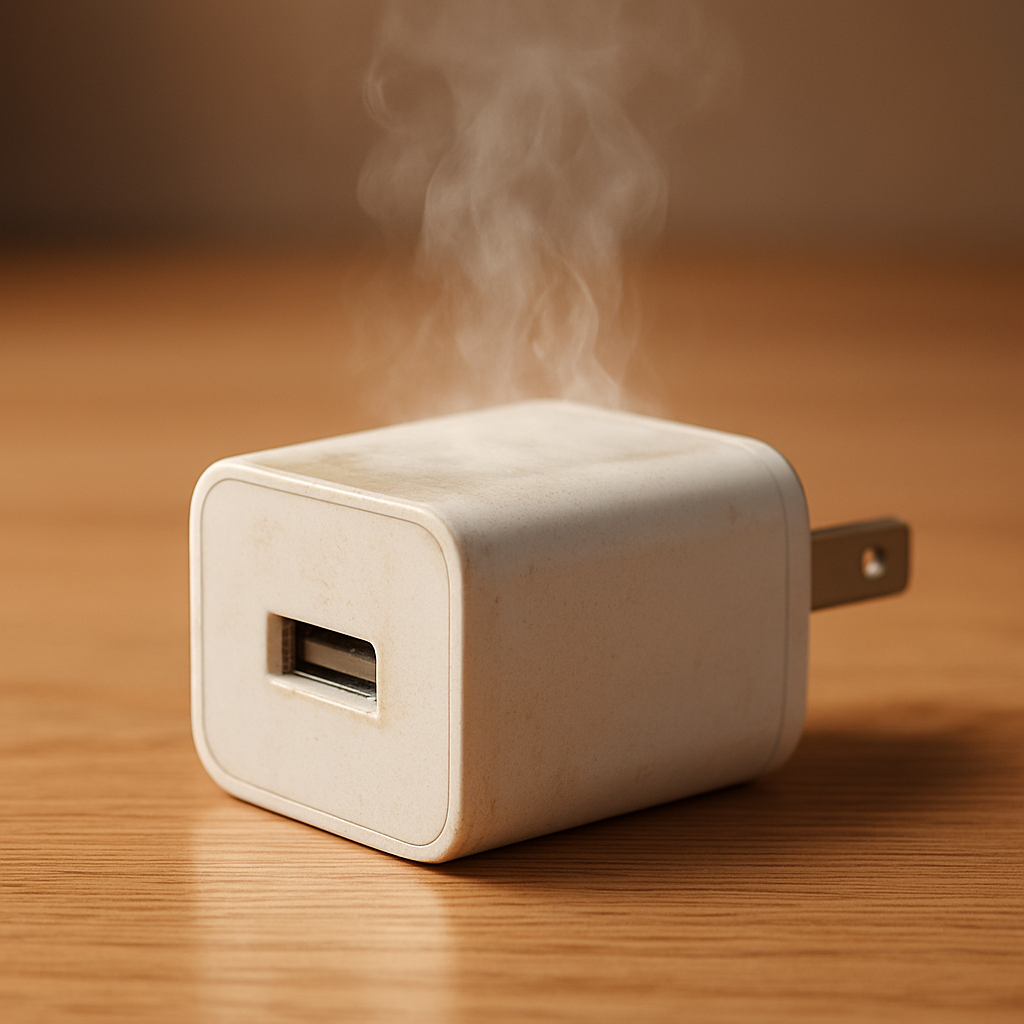
A charger getting a little warm is normal, especially during fast charging or when topping up a low battery. It becomes dangerous overheating when the adapter or plug is painfully hot to touch, smells like burning, shows melted or discolored plastic, makes buzzing/crackling noises, or the charging becomes unstable (starts/stops repeatedly).
Normal warmth usually peaks in the first 20–60 minutes when the device pulls the most power, then eases as the battery fills. If heat keeps building, shows up suddenly when it didn’t before, or comes with warning signs, stop using it and investigate before charging again.
If you need a fast fix
- Unplug the charger from the wall and the device, and let everything cool on a hard, non-flammable surface.
- Switch to a known-good, branded charger and cable (or the original one) and plug directly into a wall outlet, not a power strip.
- Charge in open air (not under pillows, on a couch, or in a bag) and remove thick phone cases during charging.
Quick Diagnosis Table
| Symptom | Most likely cause |
|---|---|
| Warm adapter but you can hold it comfortably | Normal heat from power conversion, especially during fast charging |
| Adapter is too hot to hold for more than a second | Failing charger, wrong wattage/voltage behavior, or poor wall contact causing extra resistance |
| Burning smell, melting plastic, or discoloration at plug blades | Electrical fault in charger/outlet, arcing, or internal component failure |
| Charging starts and stops, or device shows “charging/not charging” repeatedly | Bad cable, loose port, dirty connector, or charger protection cycling due to heat |
| Crackling/buzzing, sparking at outlet, or hot wall plug area | Loose outlet, damaged plug, or unsafe extension/power strip; stop use immediately |
Why This Happens
Chargers turn high-voltage AC from the wall into low-voltage DC your device can use, and some energy is lost as heat. The faster the charge (higher watts), the more heat you can feel, even when everything is working correctly.
Overheating usually comes from resistance or stress where power flows: a cheap or damaged adapter running inefficiently, a cable that can’t handle the current, a loose outlet, or a connector that’s dirty or worn. Heat can also build up when a charger is covered or trapped in a tight space with no airflow.
In simple terms: higher power draw plus poor contact or poor quality makes heat, and that heat can trigger safety shutdowns, unstable charging, or physical damage like softened plastic.
Most Common Causes (Ranked)
- 1) Low-quality or counterfeit charger: Cheap internal parts waste more energy as heat and can fail without warning. This is a top cause of adapters that become painfully hot.
- 2) Cable problem (wrong type, damaged, or too thin): A bad cable increases resistance, so the plug ends heat up and charging may flicker on and off.
- 3) Poor wall outlet contact or loose power strip: A loose outlet can cause tiny arcs at the plug blades, creating heat, scorching, or a hot “plug area” even if the adapter body isn’t the only warm part.
- 4) Fast charging at high wattage in a hot environment: High-power charging in a warm room, direct sun, or near a heater can push temperatures from “warm” into “too hot.”
- 5) Charging while the device is working hard: Gaming, hotspot use, navigation, or video calls while charging makes the phone draw power and create its own heat at the same time.
- 6) Dirty, wet, or worn charging port: Lint or corrosion can create poor contact, leading to heat at the connector and repeated connect/disconnect behavior.
If the charger gets gradually cooler after you improve airflow, swap the cable, or stop heavy use while charging, that usually indicates the issue was load or ventilation rather than a failing adapter.
How to Check the Problem Safely
- Check 1: Unplug everything and inspect the adapter, cable, and plug for melting, discoloration, bulges, or a glossy “softened” look near the prongs and USB port.
- Check 2: Smell the adapter and cable ends after they cool; a sharp burnt-plastic or “electronics” smell is a strong sign the charger or outlet is unsafe.
- Check 3: Try a different known-good cable and charger with the same device, then try the suspect charger with a different device (only if there is no burning smell or melting).
- Check 4: Plug into a different wall outlet (not a power strip) and make sure the plug fits tightly with no wobble or sparking.
- Check 5: Check where the heat is concentrated: adapter body, wall plug area, cable ends, or the phone’s port area, since each points to a different cause.
If you ever see sparking, smoke, melting, or smell burning, stop testing immediately and do not “try again” in another outlet.
How to Fix It
- Fix 1 (easiest): Improve airflow and reduce heat sources by charging on a hard surface, out of sunlight, and not under blankets; this lowers normal heat buildup quickly.
- Fix 2: Replace the cable with a certified, higher-quality one; many overheating complaints come from cables that can’t handle fast-charging current.
- Fix 3: Stop using power strips or loose outlets and plug directly into a snug wall outlet; a solid connection reduces resistance and prevents hot plug blades.
- Fix 4: Use the correct charger wattage for your device (and reputable brands); an undersized or poor-quality adapter can run hot, while a good USB-C PD charger will deliver only what the device requests.
- Fix 5 (advanced/last resort): If heat is concentrated at the device port and cables keep getting hot, have the charging port inspected and cleaned professionally; worn pins or corrosion can make every charger run hotter and charge unreliably.
Signs of Battery or Hardware Damage
- Battery swelling (screen lifting, back cover bulging, or case no longer sitting flat).
- Device gets unusually hot near the battery even when not charging, or heats rapidly during light use.
- Charging stops at a certain percentage, jumps around, or drains fast after “full” charge.
- Random shutdowns, restarts, or throttling that started around the same time as overheating.
- Port feels loose, charging requires holding the cable at an angle, or the connector end is hot to the touch.
- Visible scorch marks on the plug, outlet, or inside the charging port.
- New warning messages like moisture detection (when the port is dry) or repeated “accessory not supported” prompts.
When Repair Is No Longer Worth It
If the charger shows melting, burning smell, or scorch marks, replacement is the only sensible option because internal damage can’t be reliably repaired at home. If the wall outlet is hot or discolored, an electrician visit is worth it because outlet problems can be a fire risk.
For phones and laptops, port repairs can be reasonable if the device is otherwise healthy, but stop investing if you also have battery swelling, frequent shutdowns, or repeated overheating across multiple chargers. As a rule, if fixing the port plus a new charger approaches a large chunk of the device’s resale value, replacement is often the safer and cheaper long-term choice.
How to Prevent This Problem in the Future
- Use reputable chargers and certified cables (USB-C PD for modern devices), and avoid very cheap, unbranded adapters.
- Don’t charge on soft surfaces that trap heat, such as beds, couches, or inside bags.
- Keep the charging port and cable ends clean; remove lint carefully and avoid charging when moisture is present.
- Replace cables at the first sign of fraying, loose connectors, or intermittent charging.
- Avoid running heavy apps while fast charging if your device already runs warm.
- Plug into a snug wall outlet and replace loose outlets or worn power strips.
- Give chargers space around them, especially high-wattage laptop chargers that naturally run warmer.
FAQ
Is it normal for a fast charger to get warm?
Yes, mild to moderate warmth is normal because the charger is converting power and fast charging increases the load. It should still be comfortable to hold and should not smell, discolor, or get hotter and hotter over time. If it becomes too hot to touch, treat it as a problem.
Why does my charger overheat only in one outlet or power strip?
A loose or worn outlet can create resistance and tiny arcs, which generate heat at the plug blades and outlet face. Power strips and cheap extensions can also overheat at their internal contacts. If the charger runs cooler in a different wall outlet, stop using the hot outlet/strip and have it checked or replaced.
Should I keep using a charger that smells like burning but still works?
No, unplug it and replace it. A burning smell often means overheated plastic, failing internal components, or arcing, and continued use can lead to melting, electric shock, or fire. Also inspect the outlet and the device port for heat damage before you charge again.
For a full overview of this issue and step-by-step solutions, read the complete troubleshooting guide.